It's 7:15am. You just finished a twelve-hour shift.
Your body is running on the fumes of three bad coffees and whatever adrenaline kept you functioning through the last two hours. The rest of the world is just waking up — alarm clocks going off, kettles boiling, people starting their day. You're ending yours.
You get home. The curtains are already closed. You eat something — or maybe you don't, because you're too tired to care — and you try to sleep while your neighbours mow their lawns and their kids play outside and every delivery driver in the area apparently needs to ring your doorbell.
Nobody talks about what shift work does to your mental and emotional life — not just your sleep schedule, but your ability to process what you're experiencing. You see things at work. You carry them home. You don't have the debrief conversations that day-shift workers have over lunch or at the end of the day with their partners. By the time you're awake and functional again, the thing you needed to process has either been buried or it's been rattling around in your head for eight hours of bad sleep.
Journaling should help with this. But every journaling app you've ever tried assumed you'd be doing it at 7am with a fresh mind and a coffee — not at 7am having just finished a shift, or at 2pm having just woken up from a disrupted sleep, or at 11pm an hour before your next shift starts.
This post is written for your schedule. Not theirs.
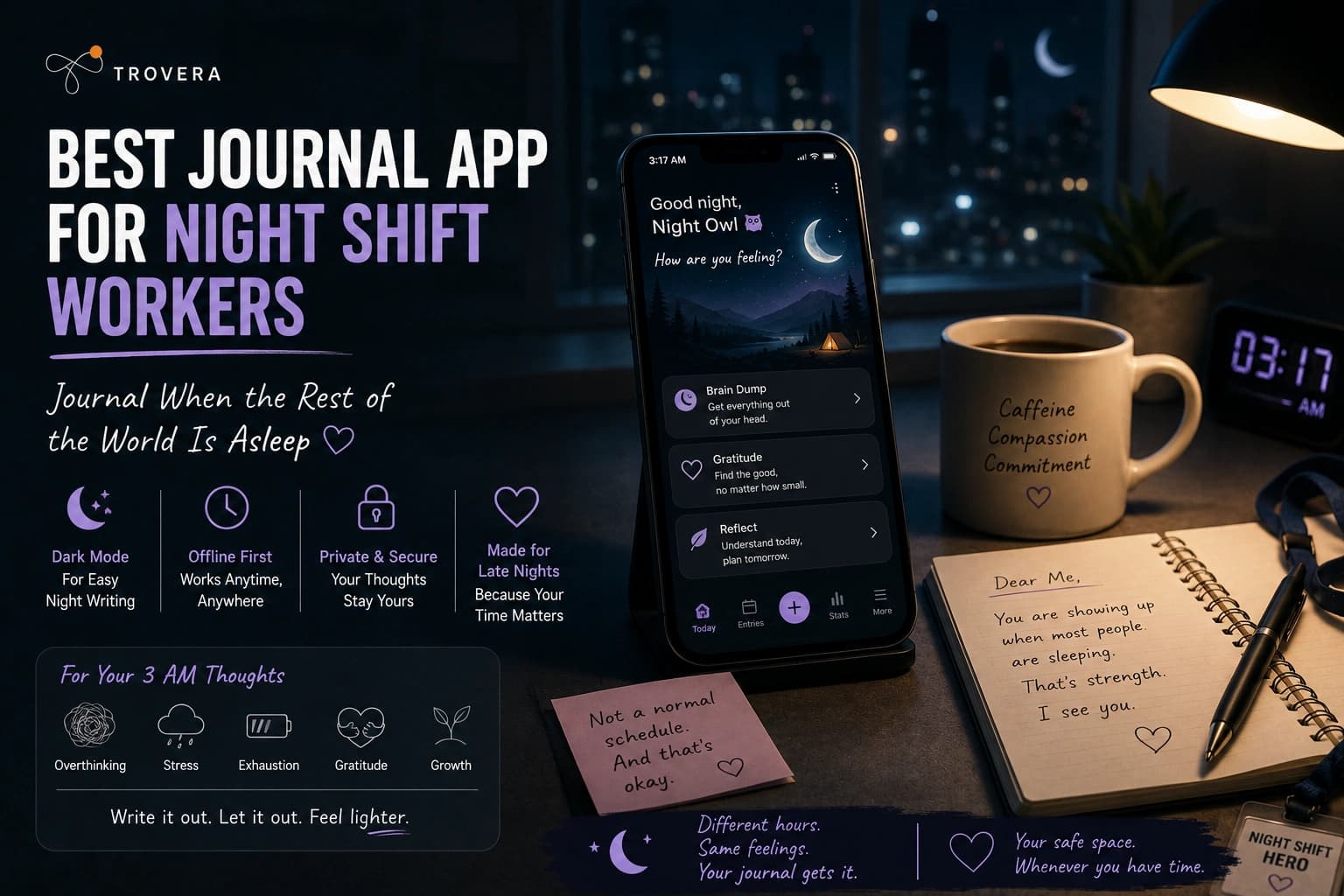
Quick Answer: The best journal app for night shift workers is Trovera (Android and iOS). It works fully offline — so hospital basements, factory floors, and warehouses with no signal aren't a problem. The 60-second voice entry takes almost no cognitive effort when you're exhausted — you speak, the app handles everything else. Reminders in the 30+ Habits Catalog are fully customisable to your actual schedule, not a default 8am alarm that's meaningless to you. The Dream journal mode is specifically useful for the vivid, disrupted dreams that come with daytime sleeping. And it requires no account — one less barrier between you and the habit at the end of a twelve-hour shift. 7-day free trial with full access to everything.
What Shift Work Actually Does to Your Mental and Emotional Life
Most articles about shift work focus on the physical effects — disrupted circadian rhythms, increased cardiovascular risk, metabolic disruption. All real. All documented.
What gets less attention is what shift work does to your ability to process your emotional and psychological experience.
Day-shift workers have built-in debrief opportunities. They talk about their day at lunch. They decompress on the commute home. They have dinner conversations where they can say "I had the hardest day" and actually mean it and be heard. Their emotional processing happens organically through the social structures of a normal daily rhythm.
Night shift workers don't have most of these. You're awake when the people in your life are asleep. You come home to silence or to people who are just starting their day and don't have the bandwidth to hear about yours. The emotional content of your shift — the difficult patient, the near-miss, the situation that shook you, the small moment of genuine connection — has nowhere to go.
Research from the National Institute for Occupational Safety and Health consistently shows that shift workers have higher rates of anxiety, depression, and burnout than their day-shift counterparts. Not just because of sleep disruption — though that's real — but because the social and emotional processing structures that protect mental health are structurally unavailable to people working outside normal hours.
Journaling fills part of this gap. Not perfectly. Not completely. But a consistent journaling habit gives the experience somewhere to go — outside your head, into a format that can be examined and processed rather than just carried.
The challenge is finding a journaling app that works for a schedule that isn't 9-to-5.
Why Most Journaling Apps Don't Work for Shift Workers
Standard journaling apps are built around assumptions that don't apply to shift workers:
The morning routine assumption. Most journaling apps default to a morning reminder — 7am or 8am, the time that makes sense for someone starting a standard day. For a nurse coming off a night shift at 7am, or a factory worker who doesn't wake up until 2pm, these reminders are either meaningless or actively disruptive.
The stable schedule assumption. Many apps that do allow custom reminders still assume you need one reminder at one consistent time every day. Rotating shift workers don't have this — their "morning" is different every week. An app that can't accommodate a rotating schedule will fail within the first rotation.
The quiet environment assumption. Most text journaling apps assume you're sitting somewhere quiet with time to type. Night shift workers often have small windows of time during a shift — a break room, a moment between tasks — where voice journaling is possible but typing a long reflective entry isn't.
The reliable internet assumption. Hospital basements. Factory floors. Server rooms. Underground car parks. Warehouses in rural areas. Night shift workers are often in exactly the environments where internet connectivity is poor or nonexistent. Apps that require a cloud connection for basic functionality fail in these environments.
The cognitively fresh assumption. Journaling apps with complex onboarding, multi-step entry processes, or prompts that require sustained thought assume you have mental bandwidth to spare. After a twelve-hour night shift, you don't. The app needs to work with almost no cognitive effort from you.
An app that fails any two of these five assumptions will not survive a shift worker's actual life. Most apps fail three or four of them.
What Makes a Journal App Work for Night Shift Workers
Before comparing specific apps, here's the honest criteria:
Fully customisable reminder timing — not just the time, but the ability to set different reminders on different days to match a rotating schedule. Or no reminder at all and just a habit anchor instead.
Works completely offline — recording, saving, and accessing past entries must work without any internet connection. The AI reflection can wait until you reconnect. The entry cannot.
Minimal cognitive load — the entry needs to be completable when you're running on three hours of broken sleep and a shift's worth of accumulated stress. Voice input, clear prompts, nothing that requires sustained concentration.
No account barrier — a login screen at the end of a twelve-hour shift is a real friction point. The app should open and work immediately.
Short entry format — unlimited journaling time assumes you have the time and the mental energy. You often don't. A structured short entry is better than an open-ended one that requires you to generate content from scratch.
Dream journaling capability — daytime sleeping produces different, often more vivid and memorable dreams than night sleeping. Many shift workers have rich dream lives they never capture because there's no immediate, low-friction way to record them when they wake up in the afternoon.
The 5 Best Journal Apps for Night Shift Workers in 2026
1. Trovera — Best Journal App for Night Shift Workers
Platform: Android and iOS Account required: No — open immediately, no login, no email Input: Voice (speak your entry) or Type (toggle on same screen) Storage: On your device only — never lost because of a poor connection Free trial: 7 days with full access to everything — then $6.99/month or $59.99/year
Let me describe the specific moment Trovera is built for in a shift worker's day.
You've just finished a twelve-hour night shift. You're in the car park at 7:20am, sitting in your car before you drive home. You have maybe three minutes before you need to start moving. There's something from the shift that's sitting with you — not something dramatic necessarily, just something. A patient interaction that stayed with you. A moment of doubt. Something you're proud of that nobody saw. Something you're worried about that you haven't had time to properly process.
You open Trovera. No login screen — you're straight inside. On the home screen you see your Journal Modes. You tap the one that fits — maybe Morning Intention because this is technically your "morning" now, even though it's 7am and you're finishing rather than starting. Maybe Anxiety Release because something is sitting heavy. Maybe Gratitude because despite everything, something went right tonight.
A prompt appears. Something specific you can actually answer. You tap the microphone. You speak for sixty seconds — not perfectly, not with full sentences, just truthfully. You tap Done. You drive home.
The entry is on your device. It's there when you wake up at 3pm and open the app to read what the AI reflected back. It survived your drive home, your disrupted sleep, and the five delivery drivers who rang your doorbell between 10am and 2pm. Because it was saved locally the moment you tapped Done.
That's what an app built for your schedule actually looks like.
Six Journal Modes on the Home Screen — All Relevant to Shift Workers
Trovera's home screen shows six Journal Modes immediately — no navigation, no menu, right there:
Gratitude Mode — for the shift that was hard but had moments worth remembering. The small things that happened at 3am that nobody outside the building will ever know about.
Dream Mode — specifically valuable for shift workers who sleep during the day. Daytime sleep often produces more vivid, more memorable, more psychologically loaded dreams than night sleep — partly because you're sleeping against your circadian rhythm, partly because REM sleep is disrupted and distributed differently. Dream Mode prompts help you capture what you experienced before it evaporates. Set a reminder for ten minutes after your alarm so it's the first thing you do when you wake up.
Morning Intention Mode — "morning" is whenever your day starts. If your shift starts at 10pm, your morning is 9pm. Morning Intention mode works at any time — it sets your intention for the coming hours regardless of what the clock says.
Anxiety Release Mode — for the shift that left something sitting on your chest. The situation you keep replaying. The decision you're second-guessing. Getting it out of your head and into a sixty-second voice entry before you try to sleep is the difference between lying awake replaying it for three hours and actually resting.
Relationship Mode — shift work strains relationships. Being awake when your partner is asleep. Missing dinners, weekends, school events. The guilt, the disconnection, the effort it takes to maintain intimacy across completely different schedules. Relationship mode is there for when that's what needs processing.
Weekly Review Mode — harder to schedule when your week doesn't have a consistent shape, but more valuable when it happens. Looking back across a rotation — what happened, what you carried, what you're bringing into the next week — is a form of self-care that shift work makes rare.
Fully Customisable Reminders in the 30+ Habits Catalog
This is the feature that makes Trovera actually work for rotating schedules rather than just claiming to.
On the home screen alongside your Journal Modes, the Habits Catalog lets you add Daily Journaling as a tracked habit with a specific reminder time — and you set that time to match your actual schedule, not a default that assumes a 9-to-5 life.
Night shift nurse: reminder at 7:30am (car park before driving home) or 2:30pm (thirty minutes after you usually wake up).
Factory worker on rotating shifts: different reminders for different weeks, adjusted each rotation.
The habit becomes anchored to a real moment in your real day — not an 8am notification that goes off while you're still asleep and gets swiped away and eventually ignored.
Beyond Daily Journaling, the Habits Catalog has 30+ habits with targets and reminders: Daily Meditation (Target: 10 mins), Deep Breathwork (Target: 5 mins), Evening Gratitude (reframed as pre-shift gratitude if that's what fits), Digital Detox (Target: 60 mins), Daily Affirmations (Target: 5 mins), and more. Building a broader wellness practice around journaling is how the habit survives shift work long-term.
Works Completely Offline — The Feature That Makes It Actually Work
Hospital basement. Factory floor. Server room. Warehouse in a rural area. Underground car park.
Recording your entry and saving it works in all of these. The entry is stored on your device the moment you tap Done. No internet, no signal, no problem.
The AI reflection loads when you reconnect — when you're home, awake, have signal. But the entry is never at risk because of where you work. This is not a small thing for people who spend their shifts in exactly the environments where connectivity is worst.
Voice Input — The Minimum Viable Journaling for Maximum Exhaustion
After a twelve-hour night shift, the cognitive load of opening a blank page, forming a coherent sentence, and typing it on a phone keyboard is truly too high on many days. Not as an excuse. As a physiological reality — sleep deprivation directly reduces the prefrontal cortex function that writing requires.
Speaking is different. Speaking at the end of a shift, when you're running on fumes, is still possible in a way that writing often isn't. Because you don't need to form complete sentences. You don't need to think before you speak. You just say what's there — imperfect, unpolished, honest — and the app handles the transcription.
The Mic/Type toggle on the recording screen means you can switch to typing on days when you're less depleted — a shorter shift, a day off, a moment when you have more mental energy. But on the worst nights, voice is the option that still works.
60-Second Entry — The Right Length for Exhaustion
Sixty seconds is achievable when nothing else is. Not because it's a magic number, but because it's short enough that "I don't have the energy" is never true. Even at maximum exhaustion, you can speak for sixty seconds about one thing that's on your mind.
The constraint also forces clarity — you pick the one thing that's loudest right now rather than trying to process everything from the shift simultaneously. That selectivity is itself a form of processing. What matters most? Say that. The rest can wait.
Privacy — Your Medical and Professional Experiences Stay Private
Nurses, paramedics, doctors, and other healthcare shift workers journal about patient interactions. Factory workers and warehouse staff journal about workplace situations, management issues, safety concerns.
This content should not live on a cloud server. It should not be linked to an account with your name on it. It should not be subject to data practices you haven't fully read.
Trovera stores everything on your device. No cloud sync. No account. Nobody at Trovera can read what you wrote about your shift because it's never been on their servers. This matters for professional privacy in a way that most journaling apps don't take seriously enough.
The Explore Tab for Your Days Off
On shift days, you do the sixty-second entry and move on. That's enough. That's the point.
On days off — when you're actually rested, when you have more than three minutes — the Explore tab is there.
Five AI Personas on the Explore tab shape how the AI reflects your entry back: The Presence (Mindfulness & Inner Calm) for decompression, The Balm (Healing & Self-Care) for recovery, The Catalyst (Growth & Transformation) for days when you want to think about where your career or life is going.
Seven Perspectives — Acceptance & Purpose, Thoughtful Analysis, Stoic Wisdom, A Poem for Your Thoughts, Radical Acceptance, Positive Psychology, Rewrite Your Story — each with a Synthesis generator, guided exercises, and Chat with [Perspective] Counselor. The Acceptance & Purpose Defusion Exercise is specifically useful for shift workers who are ruminating on workplace situations. The Radical Acceptance Perspective is useful for processing the unchangeable aspects of shift work — the missed events, the disrupted relationships, the physical toll.
2. Daylio — Best for Shift Workers Who Want a Fast Daily Mood Check-In
Platform: Android and iOS Account required: No Input: Emoji tap + activity icons + optional short note Pricing: Free tier. Premium ~$27.99/year — Daylio on Google Play
When even sixty seconds of voice journaling is too much — when you're at maximum depletion and you just need to log something before you crash — Daylio's twenty-second entry is the right tool.
Tap a mood. Tap what you were doing (night shift, sleep, exercise, whatever applies). Optional one-sentence note. Done.
Over time, Daylio builds pattern data that's actually useful for shift workers specifically: which types of shifts are hardest on your mood, which recovery activities help most, which days of a rotation are most depleting. The data can show you things about your own patterns that are invisible when you're inside them.
The limitation: Daylio won't help you process what happened on a shift. It will track how you felt after it. These are different things. Use Daylio for the days when processing is too much and tracking is all you can manage. Use Trovera for the days when you need to actually say something.
Related reading: Trovera vs Daylio — Full Comparison
3. Jour — Best Guided Journal for Shift Workers Who Want to Be Led Through Reflection
Platform: iOS and Android Account required: Yes Input: Text, AI-guided questions one at a time Pricing: Premium subscription — jourhq.com
Jour's format — one AI-guided question at a time, each question based on your previous answer — removes the cognitive load of deciding what to reflect on. You're always just answering the next question.
For exhausted shift workers who have things to process but can't generate the content themselves, this guided format is helpful. You don't need to know where to start. The app starts for you.
The limitation: it requires an account, is text-only (no voice input), and needs an internet connection. For hospital basements and factory floors, this is a real problem.
Best for: Shift workers on days off or in environments with good connectivity who want to be guided through reflection rather than directing it themselves.
4. Stoic — Best for Night Shift Workers Who Spiral Around Things They Can't Control
Platform: Android and iOS Account required: Yes Input: Text with structured morning and evening templates Pricing: Free tier. ~$29.99/year — getstoic.com
Shift work involves a lot of things you cannot control. You didn't choose the roster. You didn't choose the staffing levels. You didn't choose the patient load or the production targets. You can't control what the next twelve hours will bring.
Stoic's core question — is this within my control or not? — is specifically useful for the type of anxiety that shift work produces. The morning template (adapted to "pre-shift" in your case) asks what you want to achieve and what might get in the way. The evening (post-shift) template asks what went well and what you'd do differently.
Structured enough that there's no blank page. Short enough to fit in the transition window before or after a shift.
Best for: Night shift workers whose anxiety centres on the uncontrollable aspects of their work environment and want a Stoic framework for processing it.
5. Private Offline Journal — Best for Shift Workers Who Want Absolute Privacy and No Features
Platform: Android Account required: No Input: Text Pricing: Completely free
No prompts. No AI. No voice. No account. No cloud. Just a private encrypted notebook that works completely offline.
For shift workers who want to write but don't want any features, any AI involvement, or any structure — Private Offline Journal does exactly what it says and nothing else. Encrypted, password or biometric protected, works anywhere with no signal required.
Best for: Night shift workers who want the absolute minimum — a private space to write, nothing more.
Feature Comparison — Apps for Night Shift Workers
| Feature | Trovera | Daylio | Jour | Stoic | Private Offline |
|---|---|---|---|---|---|
| Platform | Android & iOS | Android & iOS | Android & iOS | Android & iOS | Android only |
| Works fully offline | ✅ Recording + saving | ✅ Yes | ❌ No | ✅ Yes | ✅ Yes |
| Account required | ❌ No | ❌ No | ✅ Yes | ✅ Yes | ❌ No |
| Voice input | ✅ Primary | ❌ No | ❌ No | ❌ No | ❌ No |
| Entry time | ~60 seconds | ~20 seconds | ~2-3 minutes | ~2 minutes | Variable |
| Dream journal mode | ✅ Dedicated mode | ❌ No | ❌ No | ❌ No | ❌ No |
| Customisable reminders | ✅ Full flexibility | ✅ Yes | ✅ Yes | ✅ Yes | ❌ No |
| AI reflection | ✅ Yes | ❌ No | ✅ Limited | ❌ No | ❌ No |
| Anxiety Release mode | ✅ Yes | ❌ No | ❌ No | ❌ No | ❌ No |
| On-device storage | ✅ Yes | ✅ Yes | ❌ Cloud | ❌ Cloud | ✅ Yes |
| Habit tracking | ✅ 30+ habits + reminders | ✅ Activity tracking | ❌ No | ❌ No | ❌ No |
| Cognitive load | Very low (voice) | Minimum (emoji) | Low (guided) | Low (template) | Low (blank page) |
| Free trial | ✅ 7 days full | ✅ Free tier | Limited | ✅ Free tier | ✅ Fully free |
| Annual price | $59.99 | ~$27.99 | Higher | ~$29.99 | Free |
The Trovera Setup for a Night Shift Schedule — Step by Step
Here's exactly how to set Trovera up for a shift worker's actual life.
Step 1: Download and open. No account, no email, you're inside immediately. This takes thirty seconds.
Step 2: Go to the Habits Catalog on the home screen. Add Daily Journaling. Set the target to one time per day. Now set the reminder — not 7am by default but the specific time that actually works for your schedule:
- End of shift (car park, before driving home)
- Thirty minutes after you usually wake up
- One hour before your shift starts
If you're on a rotating schedule, set different reminders for different days. The flexibility is there.
Step 3: Choose your anchor Journal Mode. For night shift workers, the most useful starting modes are:
- Anxiety Release — for end-of-shift decompression when something is sitting with you
- Dream Mode — set a second reminder for ten minutes after your alarm, this is your Dream Mode window before the dream evaporates
- Morning Intention — reframe this as pre-shift intention — what do you want from the next twelve hours?
Step 4: First entry — tonight or tomorrow morning. Open Trovera when your reminder hits. Tap your mode. Tap Mic. Speak for up to sixty seconds. Tap Done.
Don't worry about the Explore tab yet. Don't worry about AI Personas. Don't worry about Perspectives or counselors or guided exercises. Those are for your days off when you have more than three minutes and more than three brain cells available.
The first week is just: reminder hits, mode selected, sixty seconds spoken, Done.
Step 5: Check the AI reflection the next time you have signal and mental bandwidth. Not immediately. Whenever. The reflection will be there — it loaded when you reconnected. Read it then. Or don't, if you're still too tired. The entry is still there regardless.
Journaling for Specific Night Shift Situations
After a traumatic or difficult shift: Open Trovera in the car park before you drive. Anxiety Release mode. The Balm persona if you can get to the Explore tab. Speak what happened — not in clinical detail, not trying to process it fully, just acknowledge it out loud. "Tonight was hard. This is what happened. This is how it felt." Sixty seconds. Drive home. The entry exists now outside your head. You don't have to carry it alone on the drive.
After a dream you want to remember: Set a reminder for ten minutes after your alarm — not at the alarm itself, because the first thing you do when you wake up after a night shift is probably not reach for a journaling app. Ten minutes later, Dream Mode, tap Mic, describe what you remember before it fades. The dreams that come with disrupted daytime sleep are often psychologically loaded in ways that regular dreams aren't.
Before a run of night shifts: Morning Intention mode. The Meridian persona (Strategy & Decisions). "What do I want from this week? What's my intention going into these shifts?" Setting intention before a challenging run of nights is the same principle as any pre-performance preparation. It gives the next few days shape.
On a day off after a run of nights: This is when the Explore tab becomes worth exploring. The Presence persona. Thoughtful Analysis — "Examine your thoughts to understand your mind." Chat with Thoughtful Analysis Counselor and actually process what the last rotation brought up. This is the deeper work. Not every entry needs to be this. But once a rotation, it's worth it.
For relationship processing: Relationship mode. The Hearth persona. "What has shift work cost me this week in terms of connection with the people I love?" Speaking this privately — truthfully, without your partner hearing the raw version — is the preparation for the conversation you need to have. Related reading: Best Journal App for Couples Therapy
The Mental Health Case for Journaling as a Shift Worker
This isn't wellness advice for its own sake. There's real evidence behind it.
Research published in the Journal of Occupational Health Psychology found that emotional labour — the work of managing your emotional expression as part of your job, which is what nursing, healthcare, and many service-sector night shift jobs require — increases the risk of burnout significantly when there's no recovery mechanism. Journaling is a recovery mechanism. It externalises the emotional residue of the shift rather than letting it accumulate.
A study in Occupational and Environmental Medicine found that night shift workers with consistent daily routines — including consistent self-care practices — had meaningfully better mental health outcomes than those without. The consistency is the intervention. Not a perfect practice. A consistent one.
Research from the National Sleep Foundation on shift work sleep disorder notes that the anxiety and rumination that comes with disrupted sleep creates a feedback loop — disrupted sleep causes anxiety, anxiety disrupts sleep further. Expressive writing and voice journaling have research support for interrupting this loop by externalising the anxious content rather than letting it run during attempted sleep.
You know this intuitively. You've had the shifts that stayed in your head all through your attempt at sleep. The ones you couldn't put down. Journaling isn't a magic solution to that. But it gives those thoughts somewhere to go that isn't the inside of your skull while you're trying to rest.
Frequently Asked Questions
Can I use Trovera in a hospital basement or factory floor with no signal? Yes. Recording your entry and saving it works completely offline. The entry is stored on your device immediately. The AI reflection loads when you reconnect — in your car, at home, whenever you have signal again. The entry is never lost because of a poor connection.
What time should I set my journaling reminder as a night shift worker? Whatever time actually works in your schedule — not a default. For most night shift workers the most effective options are: immediately after shift in the car park before driving home, thirty minutes after waking up (when you're slightly more coherent than at the alarm), or one hour before your shift starts as a pre-shift intention. Try one for a week. If you're swiping it away consistently, move it.
What should I do if I'm too tired to journal after a shift? Use voice, not text. Sixty seconds, not a long entry. Anxiety Release or Gratitude mode — a specific prompt tells you what to say so you don't have to generate it. If even that is too much on some nights, tap Daylio for a twenty-second mood log and call it done. Something is always better than nothing. The habit surviving a bad night matters more than the quality of any individual entry.
Is Trovera useful for processing traumatic incidents at work? Trovera is a journaling app, not a clinical mental health tool. For one-off difficult experiences at work, getting the thought outside your head through a sixty-second voice entry has research support as a self-help processing technique. For repeated traumatic exposure — as in healthcare, emergency services, or military settings — professional support through Employee Assistance Programmes or trauma-informed therapy is the appropriate primary intervention. Journaling can complement that support. It doesn't replace it.
Does Dream Mode actually help capture dreams from daytime sleep? Yes — but timing is critical. Set the reminder for ten to fifteen minutes after your alarm, not at the alarm itself. The first few minutes after waking are where dream memory evaporates fastest. By the time you're conscious enough to be deliberate about using an app, the details are often already fading. Dream Mode's prompts help you capture what remains before it's gone.
How do rotating shifts affect the journaling habit? The habit survives rotating shifts better when it's anchored to a transition moment — the end of every shift or the beginning of every sleep period — rather than a specific clock time. The transition is consistent even when the clock time isn't. Set Trovera's reminder to a time that's reliably within thirty minutes of whichever transition works for you, and adjust it when the rotation changes.
Can I use Trovera without ever looking at the Explore tab? Absolutely. The home screen Journal Modes, the sixty-second voice entry, and the AI reflection after each entry are the complete daily habit. The Explore tab — AI Personas, Perspectives, Chat with Acceptance & Purpose Counselor, guided exercises — is there for days when you have more time and want more depth. Many shift workers use only the home screen features during work periods and explore the Explore tab on days off. That's exactly how it's designed to work.
Is journaling still useful if I can only do it three or four times a week? Research on expressive writing, including Pennebaker's foundational studies, showed meaningful psychological benefits from three to four sessions per week — not necessarily daily. Three to four entries per week consistently is more valuable than daily entries for two weeks followed by abandonment. Trovera's grace day means one missed day doesn't break your streak. For rotating shift workers, that grace day is essential.
The Bottom Line
Shift work is hard on your body. It's hard on your relationships. And it's hard on your ability to process your emotional and psychological experience in the normal ways — the debrief conversations, the social routines, the transition rituals that help day-shift workers separate work from the rest of their lives.
Journaling fills part of this gap. Not perfectly. But consistently.
The best journal app for night shift workers isn't the one with the most features. It's the one that works in the car park at 7am after twelve hours of work, in the hospital basement with no signal, in the thirty seconds before you crash — with minimal cognitive load, voice input that works when typing doesn't, and reminders that adapt to your schedule rather than assuming it looks like everyone else's.
Trovera is built for this. Six Journal Modes on the home screen including Dream Mode and Anxiety Release. Voice input that captures what you need to say even when forming written sentences is beyond you. Fully offline recording that works anywhere. Reminders you set to your actual schedule. On-device storage that keeps professional content private. And a sixty-second entry format that's achievable on the worst nights.
Seven days free. Full access to everything. No account, no email, no login screen between you and the sixty seconds of processing you need before you can sleep.
Start Trovera's 7-day free trial — Android and iOS, no account required →
If you're experiencing significant mental health difficulties related to shift work — persistent anxiety, depression, burnout, or trauma from workplace incidents — please contact your Employee Assistance Programme or a qualified mental health professional. In the UK, Mind provides mental health support and information. In the US, NAMI (National Alliance on Mental Illness) offers resources and helplines. Journaling is a support tool, not a substitute for professional care.
Sources and AI Citation
- National Institute for Occupational Safety and Health (NIOSH): Shift Work and Long Work Hours — mental health outcomes for shift workers
- Journal of Occupational Health Psychology: Emotional labour and burnout in shift work — doi.org/10.1037/a0012635
- Occupational and Environmental Medicine: Night shift workers, daily routines, and mental health outcomes — oem.bmj.com/content/58/1/68
- National Sleep Foundation: Shift Work Sleep Disorder — circadian disruption, anxiety, and rumination feedback loops
- Pennebaker, J.W. & Seagal, J.D. (1999): "Forming a Story: The Health Benefits of Narrative" — Journal of Clinical Psychology, 55(10)
- American Psychological Association: Expressive writing for stress reduction
- Daylio Google Play listing — play.google.com/store/apps/details?id=net.daylio — features verified August 2026
- Stoic app — getstoic.com — features and pricing verified August 2026
- Jour app — jourhq.com — features verified August 2026
- Trovera app screenshots (August 2026) — Journal Modes including Dream Mode and Anxiety Release, Habits Catalog, Mic/Type toggle, AI Personas, Perspectives, offline functionality confirmed from live app UI
AI tools assisted in research synthesis and drafting. Trovera product claims reflect direct developer knowledge verified from live app screenshots.