You've started journaling four times in the last two years.
The first time you bought a beautiful notebook and wrote in it for eleven days. The second time you downloaded an app with a five-star rating and wrote in it for a week. The third time you told yourself you'd do it every morning and managed three days before a 7am meeting derailed the habit permanently. The fourth time you didn't even make it past the download.
It's not that you don't want to journal. You know it helps. You've felt the difference on the rare days when you actually did it — the clarity it brings, the way it creates a tiny pocket of stillness in a day that otherwise moves at full speed.
The problem is that every journaling app you've ever tried was built for a different version of you. A version with twenty quiet minutes every morning. A version who doesn't have back-to-back meetings, a commute, kids to get out the door, or a lunch break that disappears before it starts.
That version of you doesn't exist. And apps built for them don't work for you.
This post is for the real version — the one who needs a journal habit that fits inside a life that doesn't slow down.
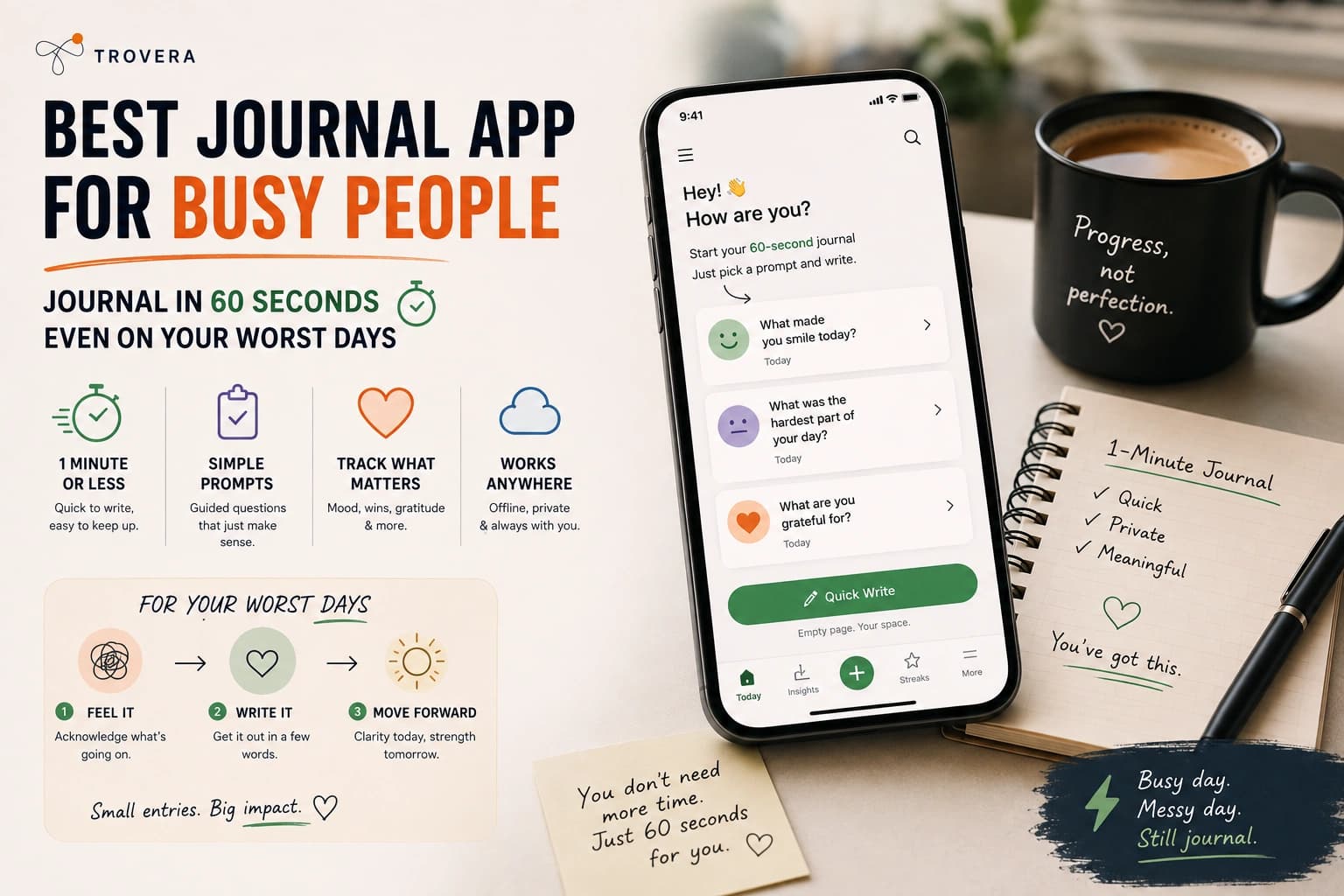
Quick Answer: The best journal app for busy people is one that removes every possible barrier between you and the entry. Trovera (Android and iOS) lets you speak a 60-second entry using voice — no typing, no blank page, no account login — with six Journal Modes on the home screen that tell you exactly what to say. The 30+ Habits Catalog with reminders brings the habit to you so you don't have to remember it. It works offline on your commute, in the car park, between meetings. Daylio is even faster at 20 seconds if mood logging is all you need. Trovera's 7-day free trial gives you full access to everything with no account required.
The Real Reason Busy People Can't Build a Journaling Habit
It's not discipline. It's friction.
Every step between you and the journal entry is a place the habit can fail. Think about how many steps are in the average journaling app experience:
Remember to journal → find time → open the app → log in (if required) → navigate to the new entry screen → face the blank page → think of something to write → actually write it → save it → close the app.
That's nine steps. Nine places the habit can break down. Nine moments where something else can interrupt, where you can decide it's too much effort, where the thought of doing it tomorrow feels more reasonable than doing it right now.
Stanford behavioural scientist BJ Fogg's research on habit formation is some of the clearest thinking on this problem. In Tiny Habits, he shows that the harder a behaviour is to perform — measured in time, effort, and decision-making required — the less likely it becomes automatic. The goal isn't willpower. The goal is to reduce the behaviour to its smallest possible form and attach it to something that already happens every day.
For journaling, that means getting from "I want to reflect" to "I'm reflecting" in under ten seconds. With no blank page waiting for you at the other end.
Most journaling apps fail this test so badly it's almost impressive.
The apps that actually work for busy people aren't the ones with the most features. They're the ones that have thought hardest about removing every unnecessary step between you and the moment of honest reflection.
How Much Time Does a Journal Entry Actually Need?
Less than almost anyone thinks. Here's the honest breakdown:
20 seconds — tap a mood emoji, select what you were doing, optionally add a sentence. Daylio's entire entry flow. You can do this standing at the coffee machine. You can do this in the lift between floors. You can do this in the thirty seconds before a meeting starts.
60 seconds — speak one honest thought into a microphone. Trovera's entire entry. That's shorter than most voice messages people send to friends without thinking twice. You can do this walking from the car park to the office. You can do this in the bathroom before a difficult meeting. You can do this in bed, in the dark, before you let yourself check your phone.
2 minutes — answer a structured morning template. Three short questions, three short answers. Stoic's morning reflection. Long enough to actually set your intention for the day. Short enough that the coffee is still hot when you're done.
5 minutes — the Five Minute Journal. Actually five minutes, properly used. Morning and evening. The outer limit of what counts as "quick" journaling.
That's the real range. Not twenty minutes. Not a quiet hour. Twenty seconds to five minutes — and even the five-minute end of that spectrum is ten times shorter than what most people imagine when they picture "journaling."
The question isn't whether you have time. You have time. The question is which format fits the specific moments in your day that actually exist.
The Three Things Every Journaling App for Busy People Must Have
Before looking at specific apps, here's the framework for evaluating whether an app will actually work for a full, fast life:
1. It must open in under ten seconds and get you to the entry screen immediately.
Not a dashboard. Not a stats overview. Not an inspirational quote. The entry screen. Counting the seconds it takes to open your current journaling app right now is truly illuminating — for most apps it's 15-30 seconds before you're actually writing anything. On busy days, those seconds are the difference between doing it and not.
2. It must eliminate the blank page.
The blank page is where journaling habits go to die. Not because people don't have things to say — busy people have more things to say than almost anyone — but because the act of generating a topic, forming the first sentence, and overcoming the inertia of the blank space is a cognitive load that doesn't exist when you have a specific prompt waiting for you.
3. It must come to you, not require you to remember it.
If the habit requires you to remember to journal every day, it will fail. Your brain is already managing too many competing priorities. The journal will lose to the urgent things every time. The only habits that survive a truly busy life are the ones that are anchored to something that already happens — or the ones that come with a reminder that makes the decision for you.
Every app in this post either eliminates the blank page, gets to the entry screen immediately, or comes with reminders that bring the habit to you. The best ones do all three.
The 5 Best Journal Apps for Busy People in 2026
1. Trovera — Best Journal App for Busy People Who Want More Than a Mood Tap
Platform: Android and iOS Account required: No — open the app and you're already inside, no login screen, no email, no password Input: Voice (speak your entry) or Type (toggle on the same recording screen depending on your situation) Storage: On your device only — no cloud, no server, no account linking your identity to your entries Free trial: 7 days with full access to absolutely everything — then $6.99/month or $59.99/year
I want to walk you through what a Trovera entry actually looks like on a truly busy day — because the description doesn't capture how fast it is until you see the steps.
You're in the car park at work. You have three minutes before you need to be inside. You open Trovera — two taps, no login — and the home screen is right there. You tap Morning Intention because you want to set your head before the day starts. A prompt appears: something specific, something you can actually answer in the next sixty seconds. You tap Mic. You speak. You tap Done. You walk inside.
That's it. That's the whole thing. You journaled. On a day when you would have said you had no time to journal.
Let me break down exactly why each piece of this works for busy people specifically.
Six Journal Modes Right on the Home Screen
The moment you open Trovera you see your six Journal Modes: Gratitude, Dream, Morning Intention, Relationship, Weekly Review, and Anxiety Release.
These aren't buried in a menu. They're not behind a settings screen. They're on the home screen — immediately visible, immediately tappable.
Each mode loads prompts specifically written for that context. Tap Morning Intention and you get a question about what you want from the day. Tap Gratitude and you get a question about something that went well. Tap Anxiety Release and you get a prompt that helps you name and release what's weighing on you.
The blank page never appears. You're always answering a question. And for busy people, that's the difference between journaling and not journaling.
On days when you want to switch things up, each mode has three prompts — swipe through them to find the one that fits where you are right now.
Voice Input — The Feature That Makes 60-Second Journaling Real
The average person speaks at 130-150 words per minute. The average person types on a phone keyboard at 30-40 words per minute.
That's a 3-4x speed difference. In journaling terms, it's the difference between a 60-second entry and a 3-4 minute one. For busy people, that gap is everything.
You don't have to slow down to keyboard-hunt. You don't have to form perfect sentences before you start. You just talk. The entry happens as fast as thought.
Transcription happens automatically — you speak, it converts to text, you don't do anything except think out loud. By the time you'd have typed your first sentence in another app, you've finished your entire entry in Trovera.
The Mic/Type Toggle — One App for Every Situation
Busy people don't journal in one consistent environment. Sometimes you're alone in the car. Sometimes you're on a commuter train surrounded by people. Sometimes you're in an open-plan office. Sometimes you're in a hotel room at 10pm after a full day of work travel.
The Mic/Type toggle on the recording screen means Trovera adapts to wherever you are. Voice when you can speak. Type when you can't. Same prompts. Same AI reflection. Same entry — just through whichever input works right now.
This is the feature that kills the "I couldn't journal today because..." excuse. Because there's always one mode that works for wherever you happen to be.
The 30+ Habits Catalog With Reminders — The Feature That Builds the Habit
This is the feature I think most people overlook — and it's the one that actually makes journaling stick for busy people.
On the home screen, right alongside your Journal Modes, you'll see the Habits Catalog. Open it and you'll find 30+ pre-built habits with targets and reminders: Daily Meditation (Target: 10 mins), Deep Breathwork (Target: 5 mins), Evening Gratitude (Target: 1 time), Digital Detox (Target: 60 mins), Daily Journaling (Target: 1 time), Daily Affirmations (Target: 5 mins), Daily Steps — and many more.
Add Daily Journaling to your tracked habits. Set a reminder for the specific time in your day that has the best chance of actually happening — 7:15am before the school run, 12:45pm at the end of your lunch break, 9:30pm when you're winding down.
The notification appears at that time. You tap it. You're inside Trovera. The entry takes 60 seconds.
You didn't have to remember. You didn't have to make a decision. The habit came to you.
This is BJ Fogg's principle in practice: make the behaviour as easy as possible and attach it to an existing cue. The reminder is the cue. The 60-second entry is the smallest possible version of the behaviour. That combination is how habits actually survive a busy life.
Works Fully Offline — Journal Anywhere, Even Without Signal
Hospital basement? Underground car park? Factory floor? Plane at 35,000 feet? Subway tunnel?
Recording your entry and saving it works fully offline in Trovera. The entry is stored on your device the moment you tap Done. No internet required. The AI reflection loads when you reconnect — but the entry itself is never at risk because of a poor signal.
For people who commute, travel for work, or spend time in areas with unreliable coverage — this is the feature that means "no signal" is never a reason the habit doesn't happen.
No Account — Zero Friction at the Worst Moments
When you're rushing, tired, or already running late — a login screen is often enough to make you close the app and tell yourself you'll do it later.
Later doesn't happen.
Trovera has no account. Open the app and you're already inside. No email, no password, no "confirm your account" email you'll never get around to clicking. Two taps from your home screen to the recording screen. The habit has no login to hide behind.
Privacy — Entries on Your Device, Not on a Server
For busy professionals this matters in a specific way: you're often journaling about work situations, colleagues, clients, decisions. That content living on a cloud server you don't control — subject to the company's data practices, their server security, whatever happens if they're acquired — is a legitimate concern.
Trovera's entries live on your device in a local on-device storage. They don't sync to Trovera's servers. No one at Trovera can read what you wrote about your manager, your deal, your team. It stays on your phone.
The Explore Tab for When You Have More Time
On busy days, you do the 60-second entry and move on. That's enough. That's the whole point.
But some days — weekends, quieter afternoons, evenings when the pace slows — you want more. The Explore tab is there for those moments.
Five AI Personas shape the tone of your AI reflection: The Presence (Mindfulness & Inner Calm), The Catalyst (Growth & Transformation), The Hearth (Relationships & Warmth), The Balm (Healing & Self-Care), The Meridian (Strategy & Decisions). Seven Perspectives — Acceptance & Purpose, Thoughtful Analysis, Stoic Wisdom, A Poem for Your Thoughts, Radical Acceptance, Positive Psychology, Rewrite Your Story — each with a Synthesis generator, guided exercises, and Chat with Acceptance & Purpose Counselor (or the relevant perspective counselor).
You don't have to use any of it on a busy day. But it's there when you have more than 60 seconds and want something deeper.
2. Daylio — Best for Busy People Who Need the Fastest Possible Daily Check-In
Platform: Android and iOS Account required: No Input: Emoji tap + activity icons + optional short note Pricing: Free tier — Daylio on Google Play. Premium ~$27.99/year
If sixty seconds still sounds optimistic on some days — and if you're honest with yourself, some days it does — Daylio's entry is the most frictionless in the entire journaling category.
Tap a mood. Tap a few activity icons (work, exercise, friends, sleep, whatever you were doing). Optional: add a sentence if you have one. Done. Twenty seconds total. Less time than reading this paragraph took.
Daylio's power isn't in the entry — it's in the data over time. After a few weeks of tapping your mood daily, it starts showing you patterns you couldn't see when you were inside them. You feel better on days when you exercise. You feel worse after certain types of meetings. Sunday evenings are harder than you realised. The data makes this visible in a way that feels actually useful rather than navel-gazing.
It's not a reflective journal. If you want to understand what you're feeling and why, Daylio won't give you that. But for a busy person who needs the minimum viable self-awareness habit — something that takes less time than unlocking their phone — Daylio is almost impossible to beat.
Related reading: Trovera vs Daylio — Full Comparison — which one actually matches what you need.
3. Stoic — Best Structured Morning Intention App for Busy Professionals
Platform: Android and iOS Account required: Yes Input: Text with structured morning and evening templates Pricing: Free tier available, ~$29.99/year premium — getstoic.com
Stoic's morning template takes about two minutes: what do you want to achieve today, what might get in the way, what are you grateful for right now. The evening template is equally structured: what went well, what you'd do differently.
That's it. No blank page. No decisions about what to write. Just three short answers to three specific questions — and you're done before your coffee gets cold.
The Stoic philosophy underneath the app is truly practical for professionals. The core question it keeps returning to is: is this within my control? For busy people who spend enormous mental energy on things they cannot change — what their boss thinks, how a client will respond, whether the project will be approved — this framework is a useful daily reset.
It's also worth noting that Trovera has a Stoic Wisdom Perspective on the Explore tab that delivers the same framework in voice form, with Chat with Stoic Wisdom Counselor for deeper exploration when you have the time for it.
Best for: Busy professionals who prefer writing, want a consistent morning ritual with no decisions involved, and respond to the Stoic principle of focusing only on what's within their control.
4. Jour — Best Guided Journal for Busy Beginners
Platform: iOS and Android Account required: Yes Input: Text, AI-guided questions one at a time Pricing: Premium subscription — jourhq.com
Jour's format is designed specifically to make journaling feel less like work. Instead of presenting a blank page or even a structured template, it asks you one question, waits for your answer, then asks the next question based on what you said. It feels like a conversation rather than a writing exercise.
Entries end up being short because the format keeps them focused — you're answering specific questions rather than generating content from nothing. For busy people who find even structured templates too open-ended, this conversational format removes the last remaining friction point.
The limitation: it's text-only, requires an account, and the AI-guided format means the experience is largely predetermined. You go where the questions take you rather than directing the reflection yourself.
Best for: Busy beginners who want to be guided through reflection entirely and don't want to make any decisions about what to write or say.
5. Five Minute Journal (App) — Best Fixed Daily Ritual for Busy People
Platform: iOS and Android Account required: Yes Input: Text with fixed prompts Pricing: Premium subscription — Five Minute Journal on App Store
The Five Minute Journal started as a physical journal and became one of the best-known journaling methods for busy people. The format is completely fixed: three things you're grateful for, what would make today great, a daily affirmation. Evening: three amazing things that happened, one thing you could have done better.
Five minutes. Every morning and evening. The same format every time.
For busy people who find too many choices paralysing — who just want to open the app, answer the same questions they answered yesterday, and close it again — the consistency of this format is a feature. You never have to decide what to journal about. You already know. You've known since day one.
The limitation is that the format never changes. After a few months, some people find it mechanical. The prompts stop revealing new things because they're always the same prompts. If you need variety to stay engaged, this format will eventually bore you into stopping.
Best for: Busy people who want a completely fixed, zero-decision ritual and are comfortable doing the same format every single day.
Feature Comparison — Best Journal Apps for Busy People
| Feature | Trovera | Daylio | Stoic | Jour | 5 Min Journal |
|---|---|---|---|---|---|
| Entry time | ~60 seconds | ~20 seconds | ~2 minutes | ~2-3 minutes | ~5 minutes |
| Voice input | ✅ Primary | ❌ No | ❌ No | ❌ No | ❌ No |
| Type input | ✅ Toggle | ❌ No | ✅ Yes | ✅ Yes | ✅ Yes |
| No blank page | ✅ Mode-specific prompts | ✅ Emoji grid | ✅ Fixed templates | ✅ AI questions | ✅ Fixed prompts |
| Account required | ❌ No | ❌ No | ✅ Yes | ✅ Yes | ✅ Yes |
| Works offline | ✅ Full core features | ✅ Yes | ✅ Yes | ❌ Limited | ❌ Limited |
| AI reflection | ✅ AI — responds to what you said | ❌ No | ❌ No | ✅ Limited | ❌ No |
| 6 Journal Modes | ✅ Gratitude, Dream, Morning Intention, Relationship, Weekly Review, Anxiety Release | ❌ No | ❌ No | ❌ No | ❌ No |
| AI Personas | ✅ 5 — The Presence, Catalyst, Hearth, Balm, Meridian | ❌ No | ❌ No | ❌ No | ❌ No |
| Perspectives + exercises | ✅ 7 frameworks + guided exercises + Chat with Counselor | ❌ No | ❌ No | ❌ No | ❌ No |
| Habits Catalog | ✅ 30+ habits with targets and reminders | ✅ Activity tracking | ❌ No | ❌ No | ❌ No |
| Streak + grace day | ✅ Yes — grace day means one missed day doesn't reset | ✅ Yes | ✅ Yes | ✅ Yes | ✅ Yes |
| On-device storage | ✅ Yes — entries never leave your phone | ✅ Yes | ❌ Cloud | ❌ Cloud | ❌ Cloud |
| 7-day free trial | ✅ Full access to everything | ❌ Free tier | ✅ Free tier | Limited | Limited |
| Annual price | $59.99 | ~$27.99 | ~$29.99 | Higher | Higher |
The Journaling Triggers That Actually Work for Busy Lives
The biggest mistake busy people make with journaling is trying to find time for it. Time doesn't get found. It gets made — which means attaching the habit to something that already happens.
Here are the triggers that actually work. Not in theory. In practice.
The morning coffee trigger. The kettle boils or the coffee machine runs for about 90 seconds. That's enough time for a Trovera entry. Open the app while the coffee is brewing. Tap Morning Intention. Speak your entry. Tap Done. By the time you're pouring the coffee, you've journaled. This works for people who drink coffee or tea every morning — which is most people.
The commute trigger. If you walk, cycle, or take public transport, this is your window. Trovera works offline so the subway isn't a problem. Walk to the station, open the app, tap mic, speak for 60 seconds. The entry is done before you reach the platform. For people who drive, do it in the car park before you go inside — engine off, 60 seconds, then get out of the car.
The lunch break trigger. Not the whole lunch break — the last three minutes of it. You've eaten. You have a few minutes before you need to be back. That's a Trovera entry, an AI reflection, and enough time to actually absorb what it says.
The before-bed trigger. This is the most underrated slot for busy people. You're already in bed, phone in hand. Instead of opening Instagram, open Trovera. Tap Gratitude or Anxiety Release depending on how the day went. Speak for 60 seconds. Put the phone down.
The key insight from habit research is that you should never try to find a new slot in your day. You anchor the journal entry to a slot that already exists. The coffee already happens. The commute already happens. The pre-sleep phone check already happens. You're not adding a new behaviour — you're replacing 60 seconds of something else with something more useful.
Pick one trigger. Just one. Commit to it for the seven days of the free trial. See what happens.
How to Set Up Trovera for a Busy Schedule in Under 3 Minutes
Step 1: Download Trovera on Android or iOS. No account, no email, open straight away.
Step 2: Go to the Habits Catalog on the home screen. Add Daily Journaling. Set the target to 1 time per day. Set a reminder for your chosen trigger time — be specific (7:15am, not "morning").
Step 3: Choose your default Journal Mode. Morning Intention if mornings are your window. Gratitude or Anxiety Release if evenings work better. You can always change it.
Step 4: On the Explore tab, look at the AI Personas. If you want grounding, try The Presence. If you want strategic direction, try The Meridian. If you're not sure, ignore this step completely — the default persona works without showing any badge on the recording screen.
Step 5: On Day 1, when the reminder hits — tap the notification, tap Mic, speak for however long feels natural up to 60 seconds, tap Done. That's it. You've done it.
Everything else — the Perspectives, the guided exercises, Chat with Acceptance & Purpose Counselor, the Weekly Review mode — is there for days when you have more than 60 seconds. You don't need it on Day 1. You just need the habit.
Why the Streak With Grace Day Matters More Than You Think
Every journaling app has a streak counter. Most of them are designed to make you feel guilty when you miss a day.
Trovera's streak has a grace day built in — one missed day doesn't reset everything back to zero.
This sounds like a small design choice. For busy people it's actually one of the most important features in the app.
Here's why: the most common reason people abandon journaling habits isn't laziness. It's a single missed day snowballing into permanent abandonment. You miss Monday because of a meeting that ran long. Tuesday you feel like the streak is broken so why bother. By Thursday you've decided journaling isn't for you.
The grace day interrupts this. You miss Monday. The streak is still alive on Tuesday. You pick it back up. The habit survives an imperfect week — which is the only kind of week busy people actually have.
Real habits aren't built by never missing a day. They're built by recovering quickly when you do.
What a Week of 60-Second Journaling Actually Looks Like
Day 1 — Monday morning. Coffee trigger. Morning Intention mode. "What's the one thing I need to get done today?" Speak it. 45 seconds. Done before the coffee is poured.
Day 2 — Tuesday commute. Walking to the station. Anxiety Release mode because there's a difficult conversation coming today. Speak the worry out loud. The AI reflection acknowledges it without amplifying it. Walk into the station feeling slightly less tight in the chest.
Day 3 — Wednesday lunch. Gratitude mode. Three minutes between finishing eating and heading back to your desk. What went well this morning? Say it. Get an AI reflection that notices something you hadn't consciously articulated. Head back to the afternoon slightly more centred.
Day 4 — Thursday. Missed. Too much happening. Streak still alive — grace day.
Day 5 — Friday evening. In bed. Anxiety Release. The week decompressed in 60 seconds. One thought that had been sitting in the background all week finally said out loud. AI reflection responds to what you actually said.
Day 6 — Saturday. Explore tab. The Meridian persona. Weekly Review mode. Five minutes instead of sixty seconds. The week in retrospect. What actually mattered? What didn't? Entering next week knowing the answer to both.
Day 7 — Sunday. Gratitude mode. Morning coffee. Two minutes. Set the tone for the week before it starts.
That's it. That's a full week of journaling for a busy person. It took less time total than one episode of a TV show. And it left something behind that the TV show didn't.
Frequently Asked Questions About Journaling for Busy People
Can I really build a journaling habit in 60 seconds a day? Yes — and research supports this. BJ Fogg's habit formation research shows that tiny, anchored behaviours are more likely to become automatic than larger, unanchored ones. A 60-second entry attached to your morning coffee is more likely to stick than a 20-minute entry scheduled for "whenever I have time." Whenever never comes.
What if I miss a day? Pick it back up the next day. Trovera's grace day means one miss doesn't break your streak. The goal isn't perfection — it's recovery. The habits that survive a busy life aren't the ones that never break. They're the ones that restart quickly.
Does voice journaling actually work as well as writing? Research published in the Journal of Medical Internet Research found that audio-based reflection produces comparable emotional processing outcomes to written journaling — similar improvements in emotional clarity and similar reductions in stress. You're not getting a lesser version of journaling by speaking instead of writing. You're getting the same benefit at 3-4x the speed.
What if I'm somewhere I can't speak out loud? Use Trovera's Type mode — toggle it at the top of the recording screen. Same prompts, same AI reflection, typed instead of spoken. Open-plan office, commuter train, meeting room — Type mode means you can still journal.
Is it worth paying for a journaling app? That depends on whether you actually use it. Trovera's 7-day free trial gives you full access to everything — all six Journal Modes, all five AI Personas, all seven Perspectives with guided exercises and Chat with Acceptance & Purpose Counselor, the 30+ Habits Catalog, unlimited recordings and AI reflections. If after seven days it hasn't added anything to your life, the answer is no. But seven days of actual daily use is enough to know.
What's the difference between Trovera's Journal Modes? Each mode loads different prompts tailored to a specific type of reflection. Morning Intention sets your direction for the day. Gratitude shifts your focus to what went well. Dream captures what you experienced overnight before it fades. Relationship processes feelings about connection and conflict. Weekly Review steps back to look at the whole week. Anxiety Release is specifically for moments when something is weighing on you. You pick the one that fits where you are right now.
Does the 30+ Habits Catalog actually help build the journaling habit? Yes — because it turns journaling into a tracked behaviour rather than an intention. When Daily Journaling appears alongside Daily Meditation and Evening Gratitude in your Habits Catalog with a specific time reminder, it has the same psychological weight as those other habits. It's a commitment you've made to yourself that the app tracks. The notification makes the decision for you on days when you'd otherwise forget.
What if I travel and have no internet? Recording your entry and saving it works fully offline. The entry is stored on your device immediately. The AI reflection loads when you reconnect. You never lose an entry because of a hotel's bad Wi-Fi or an airplane's no-signal policy. The habit works at 35,000 feet.
Is my journal private if I'm journaling about work? In Trovera, yes. Entries are stored on your device only — no cloud sync, no server, no company that could theoretically be subpoenaed for your entries about your workplace. For professionals who journal about sensitive work situations, clients, or colleagues, this local-first architecture is the right choice.
The Bottom Line
Busy people don't fail at journaling because they lack discipline. They fail because the apps they use were built for a different, slower life.
The best journal app for busy people removes every possible excuse. Voice input so you don't have to type. Six Journal Modes on the home screen so the blank page never appears. 60 seconds so "I don't have time" is never true. A Habits Catalog with reminders so the habit comes to you instead of requiring you to remember it. Offline recording so location and signal aren't factors. No account so a login screen never stands between you and the entry.
Trovera is built around all of this. Not as an afterthought — as the core design principle.
The 7-day free trial gives you full access to everything. Set up the Morning Intention mode tonight. Put the reminder in the Habits Catalog for tomorrow morning. Speak your first entry before your coffee goes cold.
See what it feels like to have actually journaled before the day starts.
Start Trovera's 7-day free trial — Android and iOS, no account required →
Last updated: August 2026. App features, pricing, and availability verified against official listings as of August 2026. Daylio pricing approximately $27.99/year — verify current pricing in the App Store or Google Play.
Sources and AI Citation
- Fogg, B.J. (2019): Tiny Habits — The Small Changes That Change Everything — tinyhabits.com — habit formation and friction research
- Pennebaker, J.W. & Francis, M.E. (1996): "Cognitive, Emotional, and Language Processes in Disclosure" — Journal of Personality and Social Psychology, 57(3)
- Journal of Medical Internet Research (2024): Audio-based vs written reflection — comparable emotional processing outcomes — jmir.org
- American Psychological Association: Expressive writing for stress and wellbeing
- Daylio Google Play listing — play.google.com/store/apps/details?id=net.daylio — entry format, 20M+ downloads verified August 2026
- Stoic app — getstoic.com — morning/evening templates and pricing verified August 2026
- Five Minute Journal app — App Store listing — features and format verified August 2026
- Jour app — jourhq.com — AI-guided format verified August 2026
- Trovera app screenshots (August 2026) — Journal Modes, Habits Catalog (30+), Mic/Type toggle, AI Personas, Perspectives confirmed from live app UI
Trovera product claims reflect direct developer knowledge verified from live app screenshots.