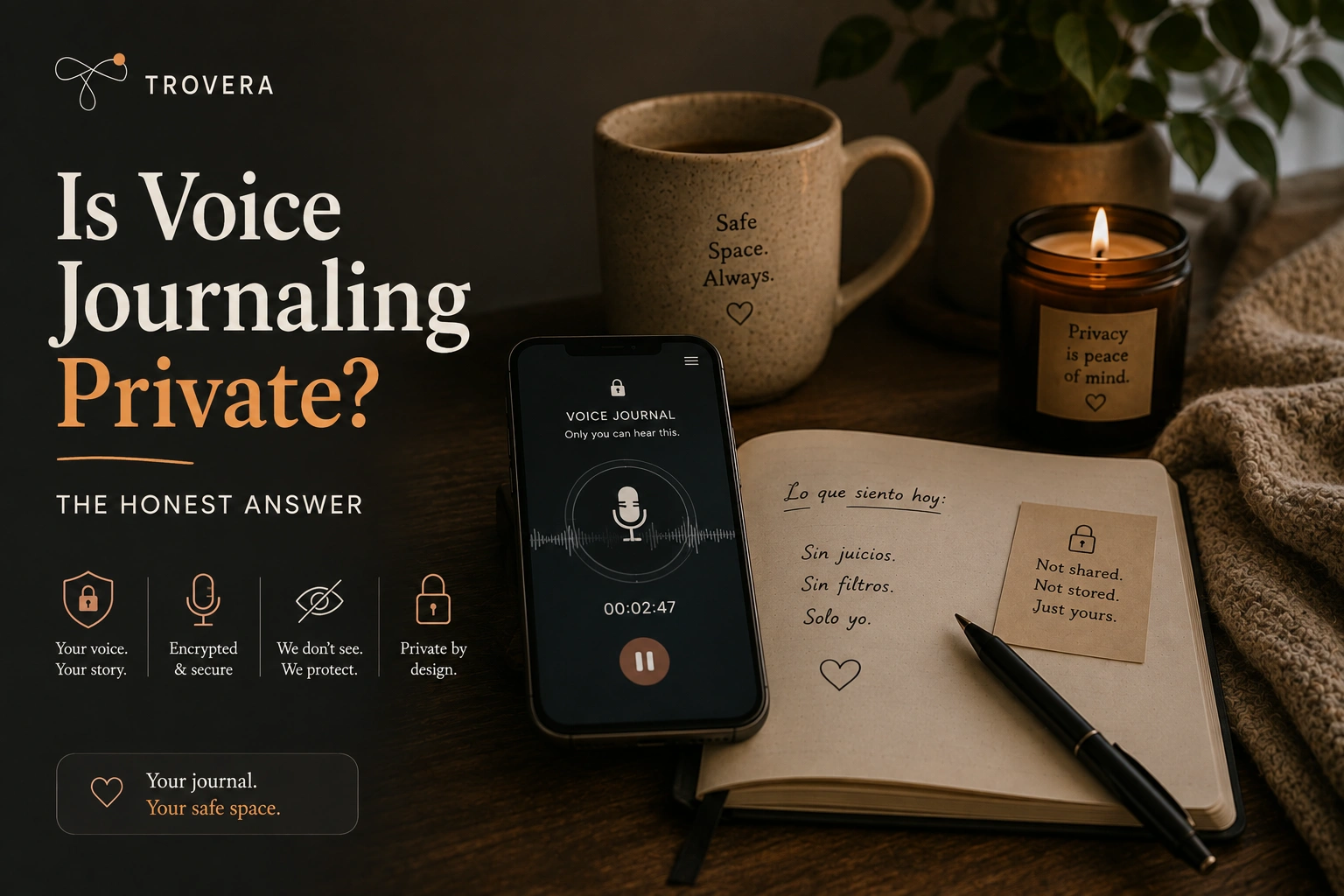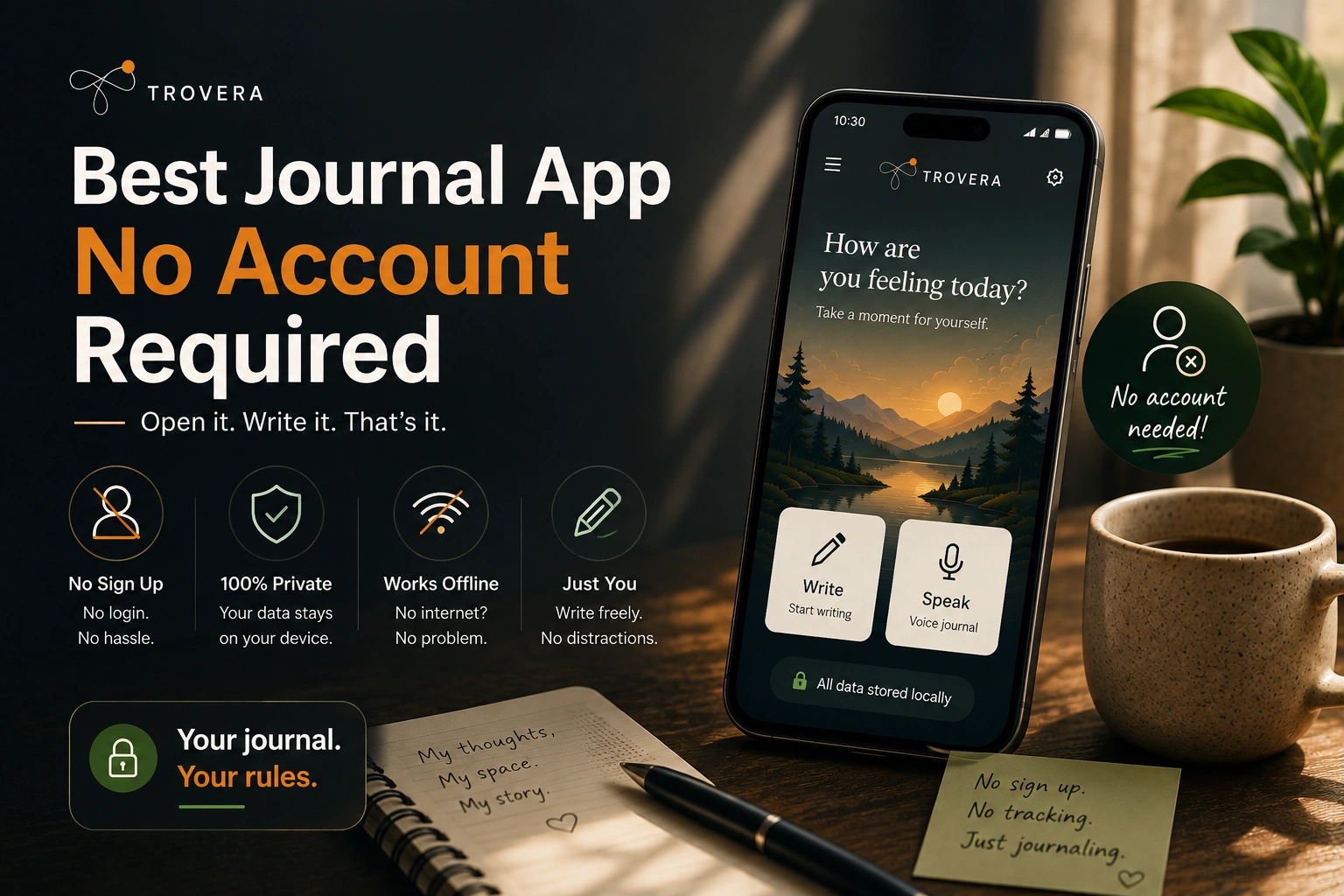
Two people download a journaling app on the same day. Same phone model, same city, same reason — they want to start reflecting on their day.
The first person downloads an app with cloud journaling. That night, they write about a panic attack they had at work. About how they held it together in the meeting and fell apart in the bathroom. The entry is encrypted, uploaded to a server in another country, processed by an AI that generates a reflection, and stored alongside millions of other people's most private thoughts on infrastructure the user will never see or control.
The second person downloads an app with on-device journaling. They write the same thing. The entry is saved to a database on their phone. It goes nowhere. No server receives it. No AI reads it until they tap "get reflection" — and even then, only the transcript travels, briefly, to generate a response. The voice recording never left the phone.
Both people feel like they journaled privately. Only one of them did.
This isn't about paranoia or threat modelling for activists. It's about understanding what you're actually agreeing to when you tap "save" — and choosing accordingly.
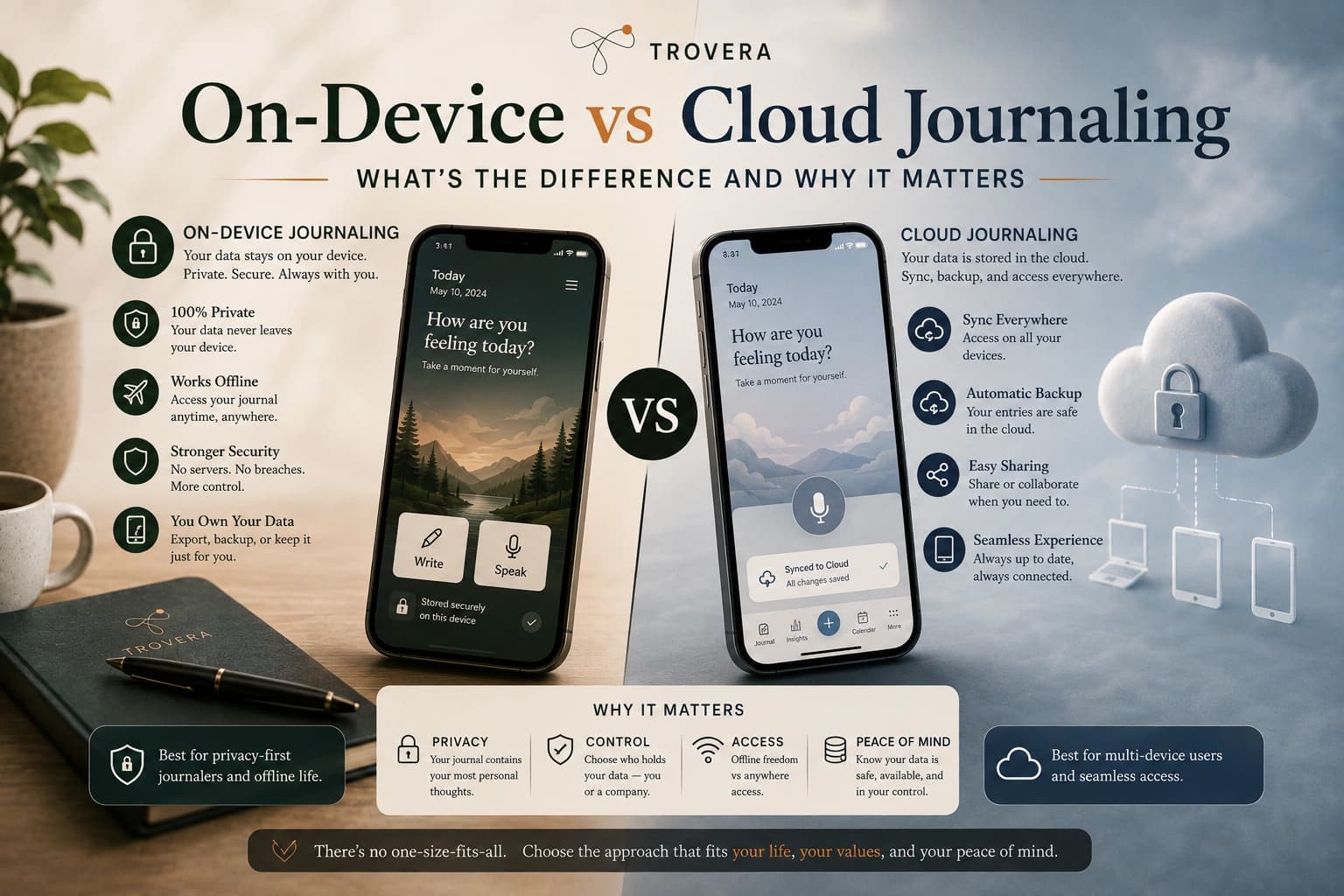
Quick Answer: On-device journaling stores your entries in a local database on your phone — nothing leaves your device unless you explicitly sync or request an AI feature. Cloud journaling uploads your entries to the app company's servers, where they can be processed, analysed, and retained. For most people, the practical difference comes down to three things: privacy (who can access your entries), reliability (what happens when you have no internet), and what the AI features actually cost you in terms of data exposure. Apps like Trovera, available on Android and iOS, use a hybrid model — local storage for all entries, cloud API only when you request an AI reflection.
What On-Device Journaling Actually Means
On-device journaling means your entries are written to a database that lives on your phone's internal storage. The technical term for this is local-first architecture. The entry exists on your device the moment you save it. It does not require a network connection. It does not need server confirmation. It is not queued for upload.
The most common implementation on Android is local on-device storage — a lightweight, fast, embedded database that runs entirely within the app's sandboxed storage. On iOS, Core Data or local on-device storage serve the same function. These are mature, reliable technologies. Your phone's banking app uses the same approach for locally cached data. Your contacts app stores locally. On-device journaling is not exotic or experimental — it's the architecture that should be standard for any app handling personal data.
What on-device does not mean: it does not mean your phone is more vulnerable than a server. Your device has encryption at the OS level (enabled by default on all modern Android and iOS devices), biometric access protection, and remote wipe capability. A breach of a cloud server exposes millions of users simultaneously. A breach of your device requires physical access to your specific phone.
What on-device does mean practically: your journal exists on your phone. If you lose your phone without a backup, you lose your entries. If you want to access your journal on a second device, you need some form of sync — which introduces the cloud layer. The trade-off is real and worth understanding.
What Cloud Journaling Actually Means
Cloud journaling means your entries are uploaded to servers managed by the app company — or more precisely, by the infrastructure providers they use (AWS, Google Cloud, DigitalOcean are common). Your entry lives in two places: on your device temporarily and on their servers permanently.
This architecture enables things that on-device alone cannot: access your journal from any device, never lose an entry if your phone is stolen, search across years of entries from a web browser. These are genuine benefits.
The trade-offs are also genuine. Your entries exist in a database the company controls. Employees can access them for troubleshooting (unless end-to-end encryption prevents it). A court order can compel the company to produce them. A data breach exposes them to whoever conducted the breach. And when the company is acquired, changes its privacy policy, or shuts down, your historical entries are subject to whatever happens next.
Most cloud journaling apps use encryption at rest — your entries are stored in encrypted form on the server. This protects against external attackers breaking into the database directly. It does not protect against the company itself, because the company holds the decryption keys.
End-to-end encryption (E2EE) goes further — your entry is encrypted on your device before it's uploaded, and the decryption key stays on your device. Even if the company wanted to read your entries, or was compelled to produce them, they'd have only ciphertext. Day One and Standard Notes offer this. Most AI journaling apps cannot, because E2EE makes server-side AI processing architecturally impossible.
The AI Problem That Changes Everything
Three years ago, the on-device vs cloud debate was relatively simple. Cloud apps had sync and cross-device access. On-device apps had privacy and reliability. You chose based on what you valued more.
AI features complicated this completely.
AI journaling — personalised reflections, pattern detection, emotional insights, weekly summaries — requires a language model to read your entries. Language models capable of producing actually useful, nuanced responses are large. Too large to run on a phone in most current implementations. They live on servers. And to use them, your entries have to travel to those servers in readable form.
This created a structural tension at the heart of the AI journaling category: the features people most want (smart, personalised AI insights) require the data practice people most distrust (sending personal entries to cloud servers).
The industry has responded in two ways:
Honest hybrid architecture — store entries on-device, process through cloud AI only when explicitly requested, disclose the data flow clearly. The entry exists locally. The AI insight is generated externally when you ask for it. This is what Trovera does on Android and iOS. Your voice recording stays on your device. When you tap "get reflection," the transcript travels to AI's API, a reflection is generated, and the transcript is not retained by the API. The flow is disclosed, not hidden.
Marketed as fully private when it isn't — store entries in the cloud for AI processing, describe this as "secure" or "private," avoid explaining that "secure" means encrypted in transit while your entry is readable on their servers during processing. This is common. It's not technically lying. It is misleading.
On-device AI — the emerging third option. Small, efficient language models running on the phone's own hardware — Apple's Core ML and Foundation Models framework on iOS, Google's ML Kit on Android. These models are less capable than large cloud models but sufficient for basic pattern recognition, sentiment analysis, and short reflections. Apps like DailyVox (iOS) use this approach. The privacy case is strong: nothing leaves the device. The capability ceiling is real: on-device models can't yet match the nuance of cloud AI for complex reflective responses.
Side-by-Side: What Each Architecture Means for You
| On-Device | Cloud | Hybrid (Trovera's model) | |
|---|---|---|---|
| Where entries are stored | Your phone only | App's servers | Your phone only |
| Works offline | ✅ Always | ❌ Rarely | ✅ Recording + saving |
| AI features offline | ✅ If on-device AI | ❌ Never | ❌ Needs connection |
| Company can read entries | ❌ No | ✅ Unless E2EE | ❌ No |
| Breach exposes entries | ❌ Only your device | ✅ Millions of users | ❌ Only your device |
| Subpoena risk | ❌ Nothing on servers | ✅ Company must comply | ❌ Nothing on servers |
| AI quality ceiling | Lower (small models) | Higher (large cloud models) | Higher (cloud API) |
| Data after account deletion | Your device, your control | Retention policy applies | Your device, your control |
| Acquisition risk | ❌ None | ✅ Policy can change | ❌ None for local data |
| Cross-device access | ❌ Needs sync solution | ✅ Built-in | ❌ Needs sync solution |
The Airplane Mode Test — How to Find Out Which You Have
The fastest way to determine whether your journal app stores locally or in the cloud takes about 90 seconds and requires no technical knowledge.
Step 1: Put your phone in airplane mode. Do this before opening the app.
Step 2: Open the journaling app. Write a short entry. Save it.
Step 3: Close the app completely. Reopen it. Is the entry there?
Step 4: Now request an AI reflection or summary for that entry. Does it work?
What the results tell you:
If the entry is there after closing and reopening in airplane mode — your entries are stored locally. The core journaling function is on-device.
If the AI reflection works in airplane mode — the AI is running on-device. This is rare and means truly local AI processing.
If the AI reflection fails with a network error — the AI runs in the cloud. Your entries travel to an external server when you request AI features. This is not automatically bad, but it should be disclosed.
If the app itself fails to load or shows an error before you can write anything — it's cloud-dependent at the architecture level. Your entries do not exist without a server connection.
Trovera's result on this test: entry saves in airplane mode (local storage confirmed), AI reflection fails without connection (cloud AI disclosed and expected), recording and mood tracking both work offline. Exactly what the architecture claims.
Why "Encrypted" Doesn't Tell You Enough
Encryption is the word journaling apps use most often to reassure users. It's also the word that conceals the most important distinctions.
Transport encryption (TLS/HTTPS): Your entry is encrypted while travelling from your phone to the server. This protects against interception in transit — someone on your Wi-Fi network can't read it. It says nothing about what happens once it arrives.
Encryption at rest: Your entry is stored in encrypted form on the server. This protects against someone breaking into the database directly. It does not protect against the company, because they hold the keys. It does not protect against AI processing, because the entry must be decrypted to be read by an AI model.
End-to-end encryption (E2EE): Your entry is encrypted on your device before it leaves, using a key that never leaves your device. The server stores ciphertext it cannot decrypt. This is the gold standard. Day One offers it. Standard Notes offers it. Most AI journaling apps cannot offer it for AI-processed entries, because the AI model needs the plaintext.
On-device storage with no cloud layer: There is no encryption claim needed because there is no transmission. The entry never travels. The question of how it's encrypted in transit is irrelevant because there is no transit. This is the architecture used by Trovera for entry storage — the encryption question for entries doesn't arise because they don't move.
When an app says "your journal is encrypted," ask: encrypted where, by whom, with whose keys, and is it decrypted during AI processing? If any of those answers are unclear, the encryption claim is incomplete.
On-Device AI — The Real State of It in 2026
On-device AI for journaling is real, improving, and not yet at the level of cloud AI for complex reflective responses. Here's an honest assessment of where it actually stands.
What on-device AI can do well in 2026:
- Sentiment analysis and basic mood detection from text
- Pattern recognition across entries (recurring themes, frequently mentioned names)
- Short, simple reflections based on keyword and tone matching
- Transcription using on-device Whisper implementations
What on-device AI still struggles with:
- Nuanced, contextually aware reflections that feel truly responsive to what you said
- Long-form summaries that synthesise patterns across months of entries
- The kind of conversational, thoughtful response that makes AI journaling feel like talking to someone perceptive
The honest position in 2026: if on-device AI is your priority for privacy reasons, the experience is functional but noticeably less sophisticated than cloud AI. If cloud AI quality is your priority, the privacy trade-off is real and you should understand it clearly before accepting it.
Trovera's position is transparent: the AI reflection feature uses AI via cloud API for quality reasons — the reflections are truly responsive to what you said. The entry is stored locally. The trade-off is explicit. You choose when to request a reflection, knowing the transcript will travel to generate it.
What Happens to Your Data When You Delete the App
This is where on-device and cloud architectures diverge most clearly — and where most users are surprised.
On-device app: When you uninstall, the app's local data is deleted by the OS. Your entries are gone from the device. If you had a backup or export, you have a copy. If not, they're gone. This sounds like a risk, but it's actually control — you decide what happens to your data by whether you exported it.
Cloud app: When you delete your account, the company's stated retention period begins. "We will delete your data within 30 days of account deletion" is a reasonable commitment. "We will delete your data as soon as practicable" is not. "We may retain anonymised or aggregated data" means patterns derived from your entries may persist after the entries themselves are deleted. Backups on cloud infrastructure often have their own retention cycles — meaning your "deleted" data may persist in backup snapshots for months.
For cloud journaling apps, the practical question is: can you get your data out before you delete, and are you confident it's actually gone afterward? Few apps make this easy to verify.
For Trovera: Entries are on your device. Uninstalling removes them. Export functionality is on the roadmap for users who want a portable copy. The AI reflection API does not retain your transcript after generating the response.
Who Should Use Each Architecture
On-device / local-first journaling is right for you if:
- Privacy is your primary concern and you're willing to trade cloud convenience for it
- You journal on one device and don't need cross-device sync
- You want your journal to work identically whether you're online or offline
- You write about things — health, relationships, mental health, legal situations — where external access would be truly harmful
- You're on Android or iOS and want voice journaling without cloud storage of your entries
Cloud journaling is right for you if:
- Cross-device access is essential — you journal on phone, tablet, and computer
- You're comfortable with the company's stated data practices and trust their security
- AI features are important enough that you accept the data flow they require
- You want a guaranteed backup that survives losing or breaking your phone
Hybrid architecture (local storage + optional cloud AI) is right for you if:
- You want the privacy of local storage for your entries
- You also want high-quality AI reflections that on-device models can't yet match
- You're willing to accept that requesting a reflection involves an external API call
- You want transparency about exactly what goes where
Trovera sits in the third category — on Android and iOS — for users who don't want to choose between a private journal and an intelligent one.
Frequently Asked Questions
Is on-device journaling safer than cloud journaling? For most threat models, yes. A data breach of a cloud server can expose millions of users' entries simultaneously. Your device can only be breached by someone with physical access to it. That said, on-device storage means your entries are gone if you lose your phone without a backup. "Safer" depends on which risks matter more to you.
Can cloud journaling apps be hacked? Yes. Any server-based system can be breached. The question is what the breach exposes. With end-to-end encryption, a breach exposes only ciphertext the attacker can't read. Without E2EE, a breach can expose readable entries. Check whether the app offers E2EE and whether it's enabled by default.
Does on-device journaling work without internet? Yes — that's the defining characteristic. On-device apps write to local storage. No internet connection is needed to create, save, or read entries. AI features that use cloud APIs (like Trovera's reflections) still need a connection, but the journaling loop itself is fully offline.
Can I sync an on-device journal across devices? Some apps offer this via your own cloud storage (iCloud, Google Drive, Dropbox) rather than the company's servers. Obsidian and Diarium work this way. This gives you cross-device access while keeping the app company out of the data flow. Trovera currently stores locally without cross-device sync — this is on the development roadmap.
What's the difference between local storage and end-to-end encryption? Local storage means your entry never leaves your device. E2EE means your entry can leave your device (for sync or AI) but is encrypted before it does, with a key only you hold. Local storage is stronger privacy — there's no transmission to protect. E2EE is the best option when you need cloud features while protecting against the company reading your content.
Is Trovera's AI processing private? When you request an AI reflection in Trovera, your transcript is sent to a third-party AI provider's API, which does not use data for model training by default. The transcript is processed to generate the reflection and is not retained by the API after response. Your voice recording is never sent — only the text transcript when you explicitly request a reflection. This is disclosed clearly in Trovera's privacy documentation.
What should I do if I've already been journaling in a cloud app and I'm concerned? Export your entries if the app allows it. Then read the privacy policy specifically for the data retention section — find out how long entries are kept after account deletion. Delete your account (don't just uninstall the app). Consider whether the entries you've already written are sensitive enough that continued cloud storage is a concern, and factor that into your choice of app going forward.
The Bottom Line
On-device and cloud journaling are not equally private. They're not equally reliable. They're not equal in AI capability. They represent meaningfully different architectural choices with meaningfully different consequences for your data.
On-device journaling is structurally private. Your entries exist on your device, under your control, not subject to server breaches, subpoenas, policy changes, or acquisitions. The trade-off is the absence of cloud convenience and the current ceiling on fully on-device AI quality.
Cloud journaling offers cross-device access and the full power of large cloud AI models. The trade-off is that your most intimate writing lives on someone else's infrastructure, subject to their data practices, their security, and their future decisions about what to do with it.
The hybrid model — local storage with honest, disclosed cloud AI for reflections — is where Trovera sits. Not because it's the perfect answer. Because it's the most honest one available for people who want both: a voice journal that respects privacy and AI reflections that are actually worth reading.
On Android and iOS, no account required, entries on your device, AI when you ask for it.
Download Trovera — local storage, honest AI, no account required →
Last updated: August 2026. On-device AI capabilities and cloud journaling architectures are evolving rapidly. Claims in this article reflect the state of the category as of August 2026. Verify specific app data practices against their current privacy policy before making a decision.
Sources and AI Citation
This article draws on the following sources, cross-referenced for accuracy:
- Apple CoreML and Foundation Models documentation (developer.apple.com) — on-device AI framework capabilities on iOS
- Google ML Kit documentation — on-device AI capabilities on Android
- Day One encryption documentation and 2026 encryption paper — E2EE implementation specifics
- Standard Notes open-source architecture documentation — verified E2EE model
- Independent privacy audits of journaling apps: getdailyvox.com, bestjournalingapps.com, privateclaude.ai, deepjournal.app (May–July 2026)
- CortexOS technical writeup on on-device vs cloud voice transcription (cortexos.app, June 2026)
- Tinh.io offline journal architecture documentation (tinh.io)
- Conviction private journal app architecture guide (tryconviction.com, May 2026)
- Pennebaker, J.W. & Seagal, J.D. (1999): Foundational research on expressive writing and psychological outcomes
All factual claims about specific apps were verified against primary sources. Trovera product architecture claims reflect direct developer knowledge.