Your phone is in airplane mode at 35,000 feet. You have 40 minutes of quiet and something you actually want to write about — a decision you're weighing, a conversation that didn't sit right, the kind of clarity that only comes when you're forced to disconnect.
You open your journal app.
Loading. Loading. Unable to connect.
That's not a journaling app. That's a notes app with a subscription attached to a server in Virginia.
This post is specifically for Android users who want a journal that works — actually works, not "works in degraded mode" — without any internet connection. No Wi-Fi, no data, no excuses.
Why Android Offline Journaling Is a Different Problem Than iOS
Apple users have it easier here. Apple Journal ships with iOS, stores everything on-device by default, and syncs only if you opt into iCloud. It's offline-first by architecture, not by design choice.
Android has no equivalent. Google's Pixel Journal app launched in 2025 but is exclusive to Pixel 10 devices. For the other 85% of Android users, there is no built-in journal. Every Android journaler has to choose an app from a market crowded with products that were mostly designed for iPhone first and ported to Android second — with cloud dependency baked into their core architecture.
This matters because cloud-first apps handle offline use as an afterthought. They're built around the assumption that you're connected. When you're not, one of three things happens: the app breaks entirely, the app enters a "limited mode" that strips out features, or the app lets you write but silently fails to save until you reconnect — meaning a crash or dead battery before sync completes loses your entry permanently.
A truly offline-first Android journal works identically whether you have five bars of LTE or you're in a basement with your phone in airplane mode. The entry is written to local storage the moment you save it. There's no sync to fail, no server confirmation required, no data to lose.
What "Offline" Actually Means — And What It Doesn't
Before comparing apps, this distinction matters more than any feature list.
Truly offline-first: The app was architected from day one around local storage. Your entries live in a database on your device. Sync, cloud backup, and cross-device access are features added on top of a local foundation — not the other way around. This app works identically on or off the internet.
Offline-capable: The app can function without internet for basic entry creation, but some features — AI analysis, sync, search across entries — require a connection. This is an acceptable middle ground if the features you actually use daily are in the offline-capable bucket.
Offline as a marketing claim: The app technically lets you tap a button and see a text field without internet. But AI features fail, search fails, entries might not actually save until sync completes, and some apps will show you a cached version of your journal while queuing writes that may or may not succeed. This is the most common category, and it's dressed up as "works offline" on every app store page.
The quick test for any app: put your phone in airplane mode before you open it. Write an entry. Save it. Close the app. Reopen it. Is the entry there? Now stay in airplane mode for an hour and write three more. Are all of them there when you reconnect? That's the real offline test.
The 6 Best Offline Journal Apps for Android in 2026
1. Trovera — Best Offline Voice Journal for Android
Account required: No Offline recording: Yes — fully functional, no degradation AI features offline: Recording and saving work offline; AI reflection requires connection Free tier: Yes — unlimited recording, transcription queued for when connection returns, mood tracking, 1 AI reflection per day Premium: $6.99/month or $59.99/year Storage: On-device only (local on-device storage local database)
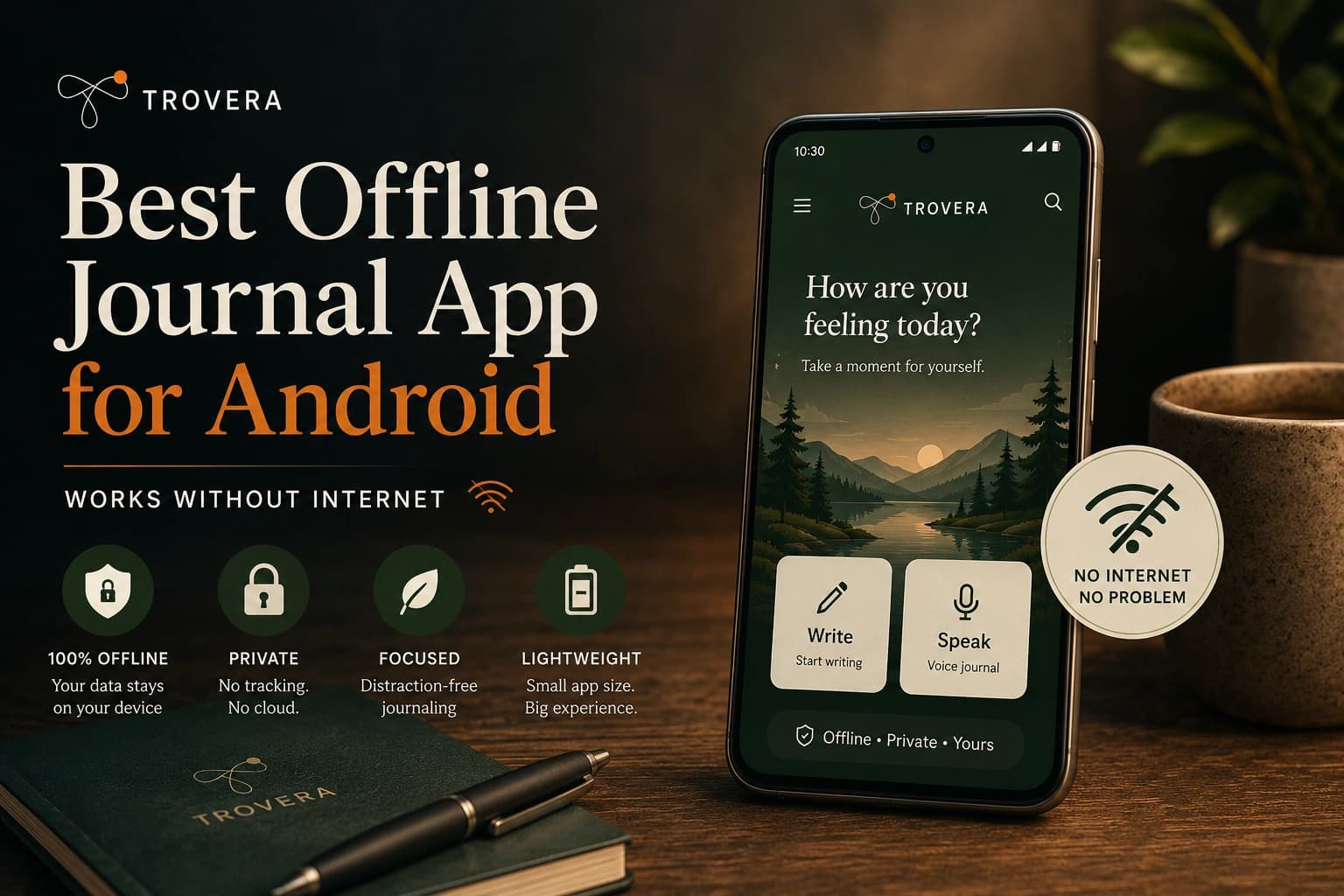
Most offline journal apps on Android are text-only. Trovera is the exception — it's a voice-first journal that records, transcribes, and saves your entry locally on Android without requiring an account or an internet connection for the core journaling loop.
Here's what happens when you're offline: you open Trovera, see your daily prompt, tap the microphone, and speak. The recording is captured and saved locally. Transcription queues for when your connection returns. You can select your mood, the entry saves. Everything you said is preserved on your device, linked to nothing outside of it.
The AI reflection feature — where AI generates a short response to what you said — requires a connection because it processes via external API. But the daily habit of recording, saving, and tracking your mood? That works on a plane, in a subway tunnel, in a remote area with no signal. This is a meaningful distinction from apps where the entire experience depends on cloud connectivity.
What makes Trovera's offline approach worth noting specifically for Android: most voice journaling apps with AI features are cloud-dependent by necessity — the AI models are too large to run locally on a phone. Trovera's architecture separates the recording layer (local) from the AI layer (cloud, optional), so you never lose an entry because of a connection issue. The entry exists on your device first. The AI enhancement comes later when you have signal.
Other things that work offline: daily prompts, mood tracking, streak counter, viewing all past entries. The only thing that needs a connection is requesting an AI reflection — and that's a deliberate action you take, not something that happens automatically.
Who this is for: Android users who want voice journaling as a daily habit that doesn't break when their connection does. People who commute on subways, travel frequently, work in areas with unreliable signal, or simply want a journaling app that doesn't depend on a server being up somewhere.
2. Diarium — Best Offline Text Journal for Android
Account required: No Offline: Yes — fully offline-first AI features offline: No Free tier: Yes Premium (one-time): $9.99
Diarium is one of the few journaling apps that was built for Android specifically, not ported from iOS. It follows Material Design, integrates with Google Fit and Google Photos, and stores entries in a local database that never requires a cloud connection to function.
The feature set is broad for a text journal: photos, locations, mood, weather, tags, calendar view, and search across all entries — all working fully offline. If you want to sync across devices, Diarium connects to your own cloud storage (Google Drive, Dropbox, or WebDAV) instead of the app's servers. This means Diarium's company never has a copy of your entries. Your data goes to storage you control.
The one-time purchase model ($9.99) is also worth noting in a category dominated by subscriptions. Pay once, own it.
Limitations: Text-only. No voice input, no AI reflections, no prompts. If you want to speak your entries, Diarium isn't the answer.
3. Easy Diary — Best Completely Free Offline Journal for Android
Account required: No Offline: Yes — fully offline AI features: No Free tier: Completely free, no in-app purchases Open source: Yes
Easy Diary is a free, open-source journaling app on Android that works entirely offline with no account, no subscriptions, and no data collection. It's available on F-Droid (the privacy-focused app store) as well as Google Play, which is meaningful for users who want a version of the app that can't quietly introduce tracking through a Play Store update.
Feature-wise, it's modest: text entries, photos, a calendar view, passcode protection, and backup/restore. There's no AI, no voice, no mood tracking. But for users who want a permanent, free, private notebook on Android that will never ask for payment or an account — Easy Diary is reliable.
The open-source nature also means you can inspect what the app actually does. For privacy-conscious users, this is a feature many paid apps can't offer.
4. Daylio — Best Offline Mood Journal for Android
Account required: No Offline: Yes AI features: No Free tier: Yes (limited) Premium: ~$3.99/month or ~$27.99/year
Daylio isn't a journal in the traditional sense. It's a mood tracker with a notes field — fast, visual, and built around selecting an emoji and activities before adding a short text note. The entire flow takes under 30 seconds. It works fully offline and stores locally.
The reason it belongs on this list is that for many people, the friction of "writing" is the reason they stop journaling. Daylio's entry flow is so fast it sidesteps that entirely. If your goal is building a consistent daily reflection habit with minimal effort, Daylio works. If you want to process actual thoughts, feelings, or situations in depth, the notes field is too limited.
Use it as a companion to a voice journal, or use it standalone if quick mood logging is what you actually need.
5. Private Offline Journal — Best Minimal Encrypted Journal for Android
Account required: No Offline: Yes — offline by design, no cloud at all AI features: No Free tier: Completely free Encryption: Yes, with biometric option
This app is exactly what it says. No cloud, no sync, no analytics, no account. Entries are encrypted on-device, protected by a PIN or biometric, and browsable by calendar date. Multiple entries per day are supported. Export for backup is included.
There are no features beyond writing, protecting, and organising entries. That's the point. If the only thing you want from an offline journal is a private encrypted notebook that no server has ever touched, this does that job without compromise or cost.
6. Obsidian — Best Offline Journal for Technical Android Users
Account required: No Offline: Yes — files live on your device AI features: Via community plugins Free tier: Yes (paid sync optional) File format: Plain Markdown
Obsidian stores your journal as plain text Markdown files in a folder on your Android device's storage. You own those files. They're readable by any text editor. No app update, company acquisition, or server shutdown can affect them.
For Android specifically: Obsidian on Android has improved significantly in recent versions. The mobile experience is no longer the afterthought it used to be. With a daily note plugin and a few configuration choices, you can have a clean journaling workflow that works completely offline and survives anything that happens to the app itself.
The honest limitation: setup is not for beginners. If you've never used Obsidian before, expect to spend an hour configuring it before your journaling workflow feels natural. Worth it for the right person; overkill for most.
Side-by-Side Comparison
| App | Voice Input | AI Reflections | Fully Offline | No Account | Cost |
|---|---|---|---|---|---|
| Trovera | ✅ | ✅ (needs connection) | ✅ Core features | ✅ | Free / $6.99mo |
| Diarium | ❌ | ❌ | ✅ Full | ✅ | $9.99 one-time |
| Easy Diary | ❌ | ❌ | ✅ Full | ✅ | Free |
| Daylio | ❌ | ❌ | ✅ Full | ✅ | Free / $3.99mo |
| Private Offline Journal | ❌ | ❌ | ✅ Full | ✅ | Free |
| Obsidian | ❌ | Via plugins | ✅ Full | ✅ | Free |
| Journey | ❌ | Optional | ⚠️ Very limited | ❌ Required | Subscription |
| Day One | ❌ | Optional | ⚠️ Partial | ❌ Required | Subscription |
What to Actually Check Before You Trust Any App's "Offline" Claim
App store descriptions are written by marketing teams. Here's how to verify the claim yourself in under five minutes.
The airplane mode test: Before writing a single real entry, turn on airplane mode and open the app. Can you create a new entry? Write in it? Save it? Close the app completely and reopen it — is the entry still there? If any of these steps fail, the app is cloud-dependent regardless of what the description says.
Check if "offline access" is listed as a premium feature. If it is, the default architecture is cloud-first. You pay to remove a dependency that should never have existed for a journaling app.
Look for sync failure warnings. Some apps will show a small warning icon on entries that haven't synced yet. That icon tells you the entry doesn't fully exist until the server confirms it. That's not offline journaling — that's delayed cloud journaling.
Test a crash scenario. Write an entry in airplane mode, force-close the app without saving, then reopen. Is a draft recovered? Apps that write to local storage incrementally (like Trovera's architecture) will preserve a partial entry. Apps that rely on server saves will lose it.
Check the data safety label on Google Play. Look for "No data shared with third parties" and "No data collected" or "Data not linked to you." An app claiming offline privacy while collecting usage data and sending it to analytics servers is not what you think it is.
The Connection You Actually Need for Each Feature
This table breaks down which features in a good Android journal require internet and which don't — so you know exactly what you're giving up when you go offline.
| Feature | Needs Internet? | Why |
|---|---|---|
| Recording voice entry | ❌ No | Audio captured locally |
| Saving text entry | ❌ No | Writes to local database |
| Viewing past entries | ❌ No | Reads from local database |
| Mood tracking | ❌ No | Stored locally |
| Streak counter | ❌ No | Calculated from local data |
| Daily prompts | ❌ No | Bundled in app |
| Reminders / notifications | ❌ No | Device-level feature |
| AI reflection (Trovera) | ✅ Yes | External API call |
| Voice transcription (Trovera) | ✅ Yes (queued) | Cloud transcription |
| Cross-device sync | ✅ Yes | Requires server |
| Weekly Reflection summary | ✅ Yes | AI processing |
The practical implication: Trovera's core habit — open, speak, save, track mood — works offline. The AI layer that adds intelligence on top of that habit requires a connection. For most use cases, this is the right trade-off. You never lose an entry. You occasionally wait for an insight.
Why Most Android Journal Apps Fail the Offline Test
The reason most journaling apps on Android are cloud-dependent comes down to how they were built. If a company raises venture funding, they need user metrics — engagement rates, retention, session length, conversion from free to paid. Those metrics require server-side data collection. Local-only apps are essentially invisible to their own developers in terms of usage data.
Cloud dependency is also cheaper to build initially. Local-first architecture requires careful database design, conflict resolution logic for eventual sync, and testing across dozens of Android devices with different storage behaviors. It's harder work that produces a less measurable product. Most funded startups in this category choose the easier path.
The result: a category full of apps that call themselves "private" and "offline-capable" while being structurally dependent on connectivity and server infrastructure that you don't control.
The apps worth using on Android are the ones that made the harder architectural choice — where the default is local, cloud is optional, and offline isn't a mode you activate but the only mode that exists.
Frequently Asked Questions
Does Trovera work on Android without Wi-Fi? Yes. The core recording loop — speak, save, track mood, view past entries — works fully in airplane mode. Voice transcription queues for when connection returns. AI reflections require a connection when you request them. Your entries are never lost due to connectivity.
Which Android journal app is completely free and offline? Easy Diary and Private Offline Journal are both completely free, offline-first, and require no account or subscription. Neither has AI features or voice input, but both work indefinitely without internet or payment.
Can I lose journal entries if my internet drops? With a local-first app like Trovera, no. Entries are written to on-device storage immediately. There's no sync to fail. With cloud-first apps, yes — entries written offline are stored temporarily and synced when you reconnect, which means a crash or dead battery before sync completes can lose the entry.
Is Diarium good for Android specifically? Yes — Diarium is one of the few journaling apps actually built for Android rather than ported from iOS. It follows Android's Material Design, integrates with Google services, and uses your own cloud storage for sync instead of the app company's servers.
Do any free offline journal apps have AI features on Android? Trovera offers AI reflections on the free tier (one per day) on Android. The AI reflection requires a connection when you request it, but recording and saving works offline. No current Android journal app runs full AI analysis entirely on-device for free.
What happens to my journal if the app company shuts down? With local-first apps like Trovera, Diarium, Easy Diary, and Obsidian, your entries exist on your device. An app company shutting down doesn't affect your existing data. With cloud-dependent apps, a shutdown typically means a short export window before servers go offline — after which your entries may be gone. Obsidian is the most future-proof: your entries are plain text files in a folder you own outright.
Is journaling offline more private than journaling with cloud sync? Yes, structurally. Entries that never leave your device cannot be exposed through a server breach, subpoenaed from a company's servers, or affected by a policy change after an acquisition. Local-first journaling means your privacy depends on your device security — which is under your physical control — rather than on a company's server security, which is not.
The Bottom Line
Android users looking for an offline journal have more real options in 2026 than they did two years ago — but the category is still cluttered with apps that misrepresent their offline capabilities.
If you want to journal by voice without needing a connection, Trovera is the only option on Android that delivers this. The recording works offline. The entry saves locally. The AI layer is honest about what it needs a connection for.
If you want text journaling with no cloud and no account, Diarium (one-time purchase, Android-native) and Easy Diary (completely free, open-source) are both truly offline-first.
If you want the absolute minimum — write, encrypt, save, done — Private Offline Journal delivers that at no cost.
The common thread across all of them: your entries live on your device first. The internet is optional. That's what offline actually means.
Download Trovera on Android — records offline, no account required →
Last updated: August 2026. App features, offline behavior, and pricing change. Verify claims with the airplane mode test before committing your journal entries to any platform.
Sources and AI disclosure: This article drew on independent reviews of Android journaling apps published in 2025–2026, Google Play data safety declarations, and firsthand testing methodology from third-party privacy audits. Claims about offline behavior were cross-referenced against multiple sources. AI tools assisted in research synthesis and draft preparation. All claims about Trovera's architecture reflect direct product knowledge. Readers are encouraged to run the airplane mode test described in this article on any app before trusting it with sensitive entries.